
Transformations of Functions: Dynamic Sliders for Square Root Function
Loading the math board and drawing, please wait…
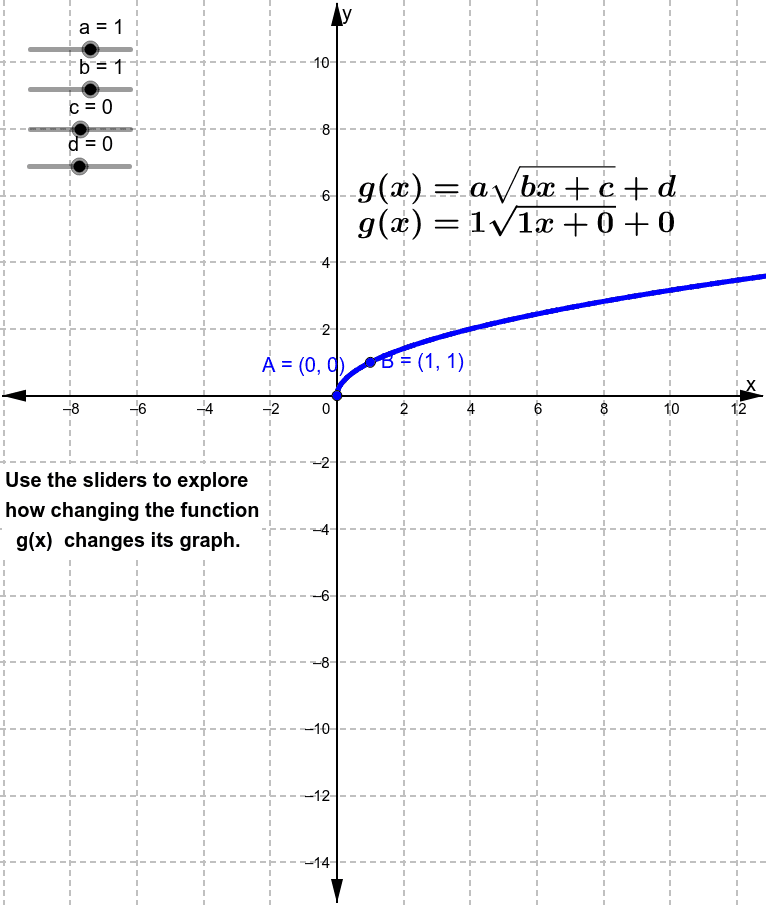
This GeoGebra worksheet demonstrates how to transform a square root function f(x)=√x using interactive sliders, covering vertical and horizontal translations, dilations (stretching/compressing), and reflections across axes. The core mathematical concepts are function transformation rules, showing how parameters a, b, c, and d affect the transformed function g(x)=a√(b(x-c))+d in terms of position and shape. Construction highlights: sliders control parameters a, b, c, d; define original function f and transformed function g; create key points A and B with coordinates x_0, y_0, x_1, y_1; add text objects text1, text2, text4 to display parameter values and transformation descriptions. Suitable for middle and high school students learning function transformations, as well as for classroom demonstrations or self-exploration, helping learners visualize how parameter changes alter the graph and build intuition connecting algebra and geometry.
GeoGebra Commands & Parameters
f(x) = sqrt(x)Numeric a(1)Numeric b(1)Numeric c(0)Numeric d(0)g(x) = (a * f((b * x) + c)) + d((-c)) / bg(x_0)(x_0, y_0)(1 - c) / bg(x_1)(x_1, y_1)
AI Drawing Prompt Reference
Draw a graph featuring a square root function, demonstrating how interactive sliders transform its shape. The original function is y equals the square root of x, with four sliders controlling vertical stretch/compression, horizontal stretch/compression, horizontal translation, and vertical translation of a new function. Mark two points on the transformed function's graph and display parameter values and transformation descriptions to illustrate how parameter changes affect the graph's position and shape.
The prompt above was compiled from the original drawing commands and is for reference only.