
Transformation - Translation: Triangle and Its Image
Loading the math board and drawing, please wait…
In collections
Module 1: Eureka Congruence, Transformations, Constructions
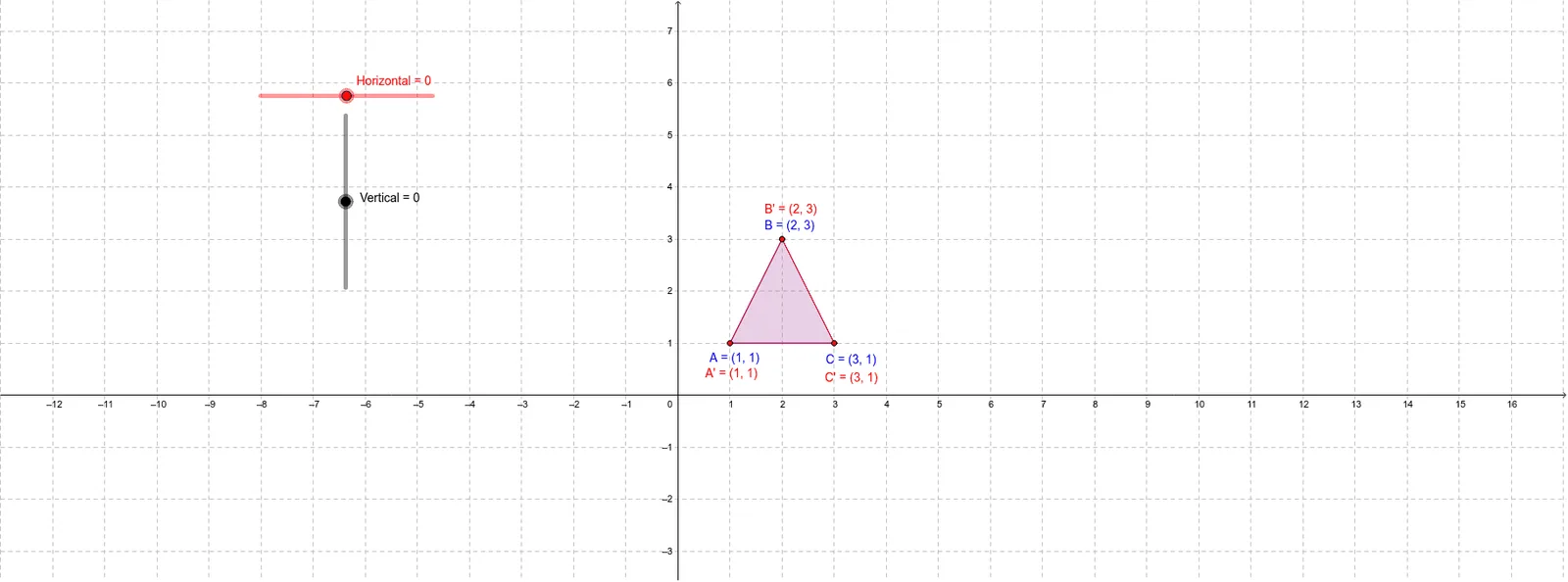
① This GeoGebra example demonstrates the translation of a triangle, showing how the entire shape moves uniformly while preserving its size and orientation. ② The core mathematical concept is the translation transformation in plane geometry, emphasizing the role of direction and distance (vector) in shifting a figure, and the congruence between the original and its image. ③ Construction details: The original triangle is built using the Polygon command with vertices A, B, C (object poly1). Horizontal and Vertical vectors are defined to control the translation, producing corresponding points A', B', C' and the image triangle poly2. Edges (a_1, b_1, c', etc.) are retained for visual comparison. ④ Suitable for middle school geometry lessons or introductory high school vector studies, this example helps students grasp coordinate-based translation, congruence properties, and dynamic exploration of translation parameters.
GeoGebra Commands & Parameters
Polygon(A, B, C) → poly1, c, a_1, b_1Polygon(A', B', C') → poly2, c', a', b'
AI Drawing Prompt Reference
Draw a triangle and its translated image. First construct the original triangle, then apply a translation defined by horizontal and vertical vectors to move each vertex by the same direction and distance, forming a new triangle. The two triangles are congruent, with corresponding sides parallel and equal in length. Use distinct colors or line styles to differentiate the original and the image, and include arrows or dashed lines connecting corresponding vertices to clearly show the translation vector.
The prompt above was compiled from the original drawing commands and is for reference only.