
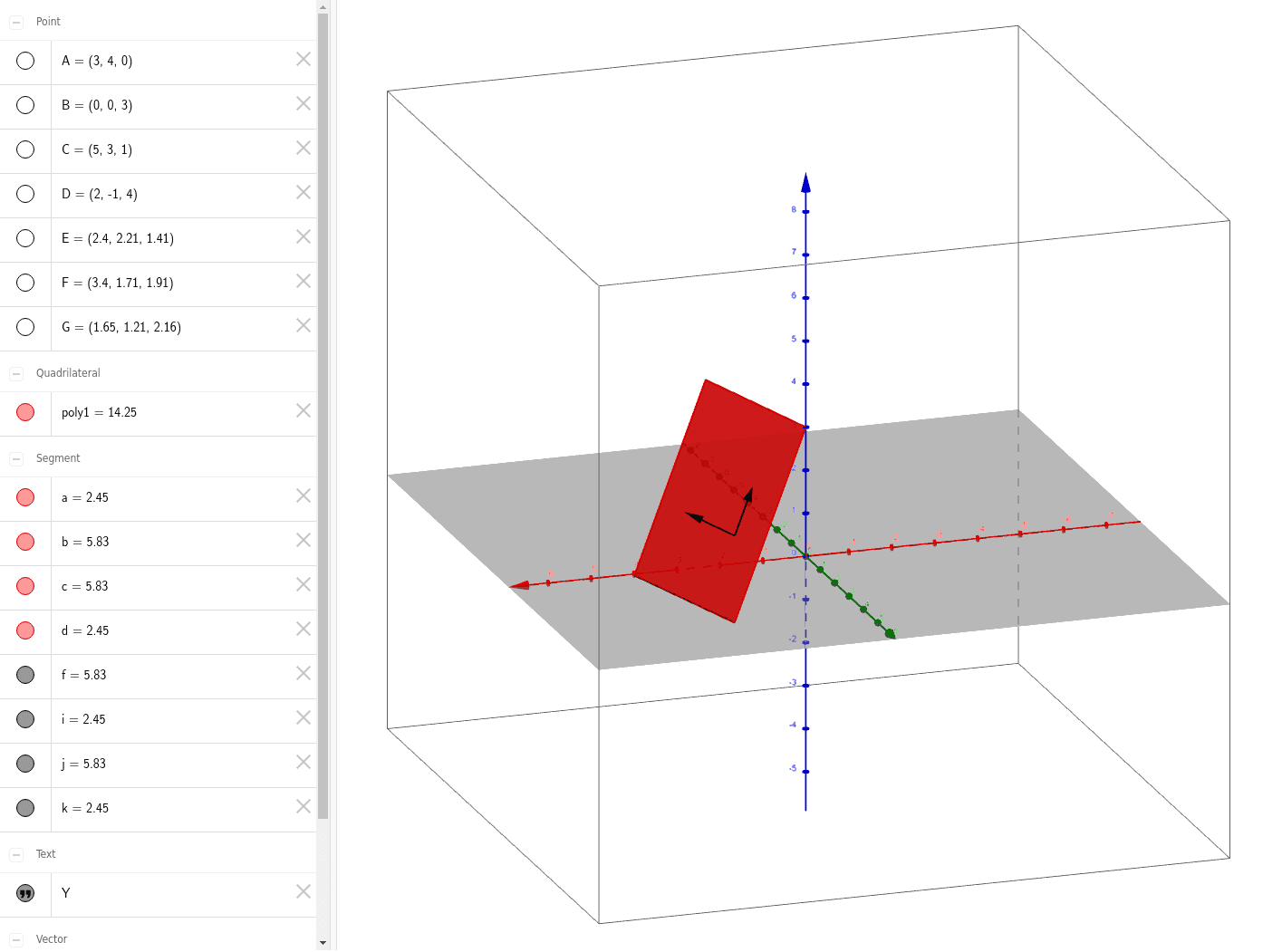
Tilted Plane - Showing Orthogonal Coordinate Vectors
Loading the math board and drawing, please wait…
This example demonstrates a tilted plane billiard table for a project, showing how orthogonal coordinate vectors can be defined on an inclined plane. It involves core mathematical concepts such as vectors, geometry, linear programming or optimization, perimeter, limits, and piecewise functions. The construction uses commands like Segment, Polygon, PointIn, and Vector. Suitable for high school students and researchers in mathematics.
GeoGebra Commands & Parameters
Segment(B, A) → fSegment(C, A) → iSegment(C, D) → jSegment(D, B) → kPolygon(D, B, A, C) → poly1, d, b, a, cPointIn(poly1) → EVector(E, F) → YVector(E, G) → v
AI Drawing Prompt Reference
Draw a tilted plane to demonstrate orthogonal coordinate vectors. Start by creating a quadrilateral as the inclined plane, then mark two perpendicular line segments on it as coordinate axes. Next, draw a line segment from one vertex of the quadrilateral to a random point on the plane, and from this point, draw vectors along the two coordinate axes. Finally, combine the quadrilateral, line segments, and vectors into a cohesive illustration.
The prompt above was compiled from the original drawing commands and is for reference only.