
Theorem 9: Curve Sketching and Incircle
Loading the math board and drawing, please wait…
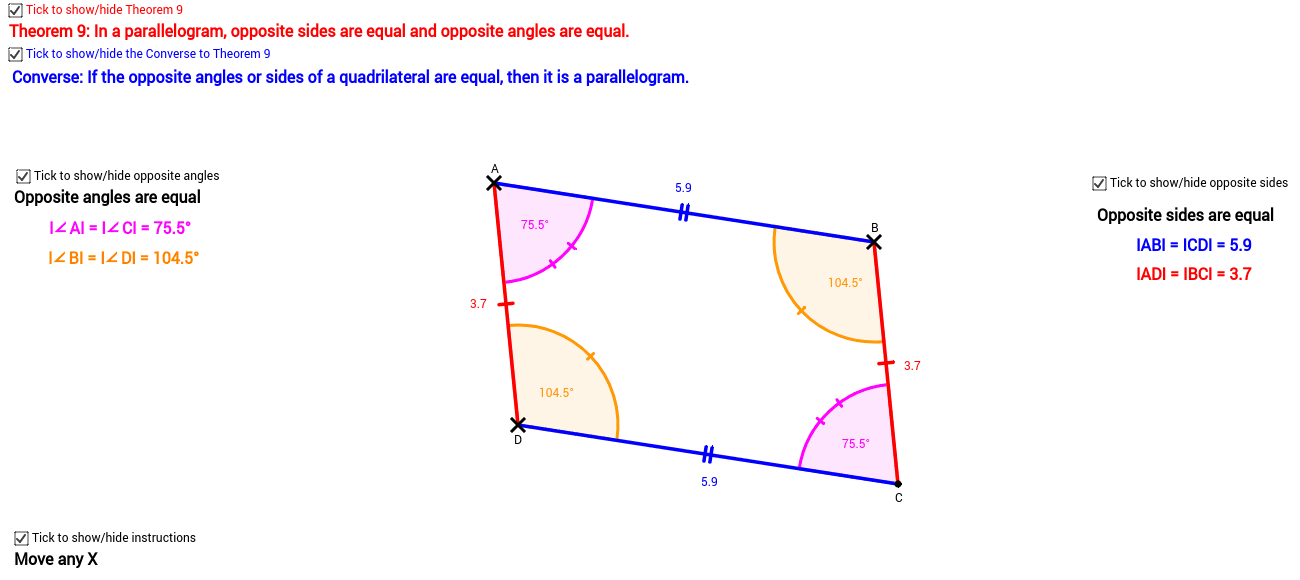
This example demonstrates how to draw the incircle of a polygon and its related geometric properties using GeoGebra. The core math concepts involved include curve sketching, incircle, difference and slope, quadrilaterals, and upper and lower sums or Riemann sums. The construction utilizes commands like Segment, Line, Intersect, and Angle. It is suitable for high school mathematics education, helping students understand the construction of incircles in polygons and the concept of Riemann sums in calculus.
GeoGebra Commands & Parameters
Segment(A, B_1) → dLine(D_1, d) → cLine(A, c) → eLine(A, D_1) → fLine(B_1, f) → gIntersect(c, g) → C_1Segment(C_1, B_1) → hSegment(B_1, A) → iSegment(A, D_1) → jSegment(D_1, C_1) → kAngle(B_1, A, D_1) → αAngle(A, B_1, C_1) → BAngle(B_1, C_1, D_1) → CAngle(A, D_1, C_1) → D
AI Drawing Prompt Reference
Draw a polygon and its incircle. Start by sketching two sides of the polygon, then draw a line parallel to one of these sides. From one vertex of the polygon, draw two line segments parallel to the other side. The intersection points of these segments with the parallel line determine the center of the incircle. Finally, connect the center to the vertices of the polygon to complete the incircle.
The prompt above was compiled from the original drawing commands and is for reference only.