
Taxicab Circles, Ellipses, and Hyperbolas
Loading the math board and drawing, please wait…
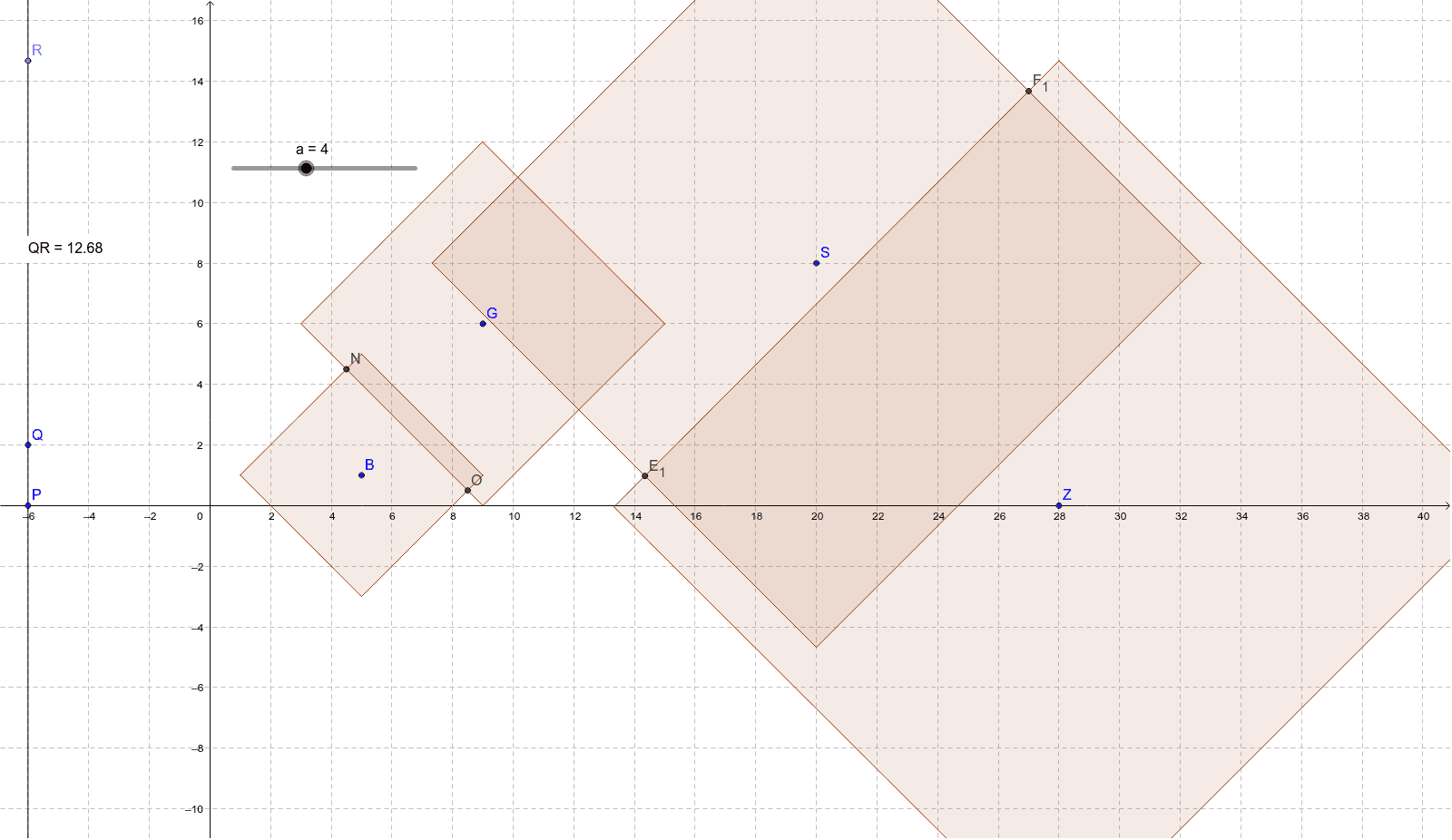
This example demonstrates the geometric shapes and properties of taxicab circles, ellipses, and hyperbolas under the Manhattan distance metric. It involves core math concepts like distance measurement, linear regression, exponential functions, combinatorics, and line segment operations. The construction uses GeoGebra commands and objects such as Point, Segment, Polygon, Intersect, Line, and Distance. Suitable for high school and advanced learners exploring non-Euclidean geometry and analytical geometry applications.
GeoGebra Commands & Parameters
Point(Circle[B, a]) → CSegment(B, C) → bPoint(Circle[B, a]) → DSegment(B, D) → cPoint(Circle[B, a]) → ESegment(B, E) → dPoint(Circle[B, a]) → FSegment(B, F) → ePolygon(D, C, E, F) → poly1, d_1, c_1, e_1, fPoint(Circle[G, 10 - a]) → HSegment(G, H) → gPoint(Circle[G, 10 - a]) → ISegment(G, I) → hPoint(Circle[G, 10 - a]) → JSegment(G, J) → iPoint(Circle[G, 10 - a]) → KSegment(G, K) → jPolygon(I, H, J, K) → poly2, i_1, h_1, j_1, kIntersect(d_1, k) → LIntersect(d_1, h_1) → MIntersect(f, j_1) → NIntersect(c_1, j_1) → OLine(P, Q) → lPoint(l) → RDistance(Q, R) → distanceQRPoint(Circle[S, Distance[Q, R]]) → TSegment(S, T) → mPoint(Circle[S, Distance[Q, R]]) → USegment(S, U) → nPoint(Circle[S, Distance[Q, R]]) → VSegment(S, V) → pPoint(Circle[S, Distance[Q, R]]) → WSegment(S, W) → qPoint(Circle[Z, Distance[P, R]]) → A_1Segment(Z, A_1) → rPoint(Circle[Z, Distance[P, R]]) → B_1Segment(Z, B_1) → sPoint(Circle[Z, Distance[P, R]]) → C_1Segment(Z, C_1) → tPoint(Circle[Z, Distance[P, R]]) → D_1Segment(Z, D_1) → a_1Polygon(W, U, T, V) → poly3, w, u, t_1, vPolygon(D_1, C_1, A_1, B_1) → poly4, d_2, c_2, a_2, b_1Intersect(v, b_1) → E_1Intersect(u, b_1) → F_1Intersect(t_1, d_2) → G_1Intersect(t_1, a_2) → H_1
AI Drawing Prompt Reference
Draw a Taxicab circle centered at point B with radius a, and construct a quadrilateral D, C, E, F using the line segments from B to the intersections of the circle with itself. Repeat this for a circle centered at G with radius 10-a to create another quadrilateral I, H, J, K. Find the intersections of the edges d_1 with k, d_1 with h_1, f with j_1, and c_1 with j_1, labeling them L, M, N, O respectively. Draw a line through points P and Q, and mark its intersection with the circle as R. Using the distance QR as the radius, draw circles centered at S and Z to get points T, U, V, W and A_1, B_1, C_1, D_1 respectively, forming quadrilaterals WUVT and D_1C_1A_1B_1. Connect these points to form a complex geometric pattern.
The prompt above was compiled from the original drawing commands and is for reference only.