
Symmetry Transformation and Vectors
Loading the math board and drawing, please wait…
In collections
Symmetry, Transformation and Tessellation
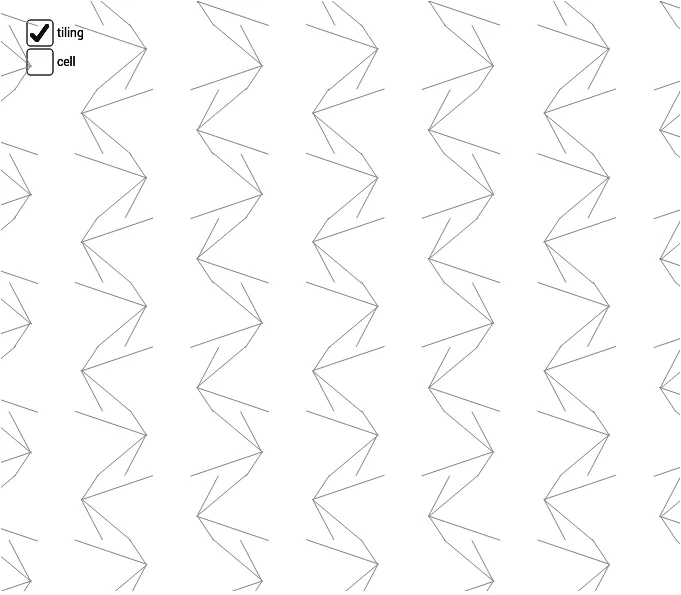
This example demonstrates the basic concepts of symmetry transformation and vectors. Using GeoGebra commands such as Mirror and Translate, it visually illustrates vector addition and subtraction, as well as the effects of symmetry transformations. Suitable for students at junior high school level and above to learn about geometric transformations and vector operations.
GeoGebra Commands & Parameters
Segment(K, N) → hSegment(K, M) → gSegment(K, L) → fSegment(J, K) → eMidpoint(C, A) → HPoint(xAxis) → BMidpoint(C, B) → IVector(C, I) → tVector(B, I) → wMidpoint(D, C) → GMidpoint(B, D) → FSegment(H, F) → bMirror(cell1, b) → cell3Translate(cell3, t) → cell3aMidpoint(A, B) → ESegment(E, G) → cMirror(cell1, c) → cell2Translate(cell2, w) → cell2aMirror(cell2, b) → cell4Vector(A, B) → uVector(A, C) → vVector(C, D) → w_1Vector(B, D) → aSequence(Translate[Sequence[Translate[tile, Vector[(n * u)]], n, -3, 3], Vector[(m * v)]], m, -3, 3) → tilingSegment(H, I) → rSegment(E, I) → sLineBisector(C, G) → kLineBisector(G, D) → lLineBisector(C, H) → mLineBisector(H, A) → n
AI Drawing Prompt Reference
Draw a geometric figure involving vectors and symmetry transformations. Start by drawing vectors u, v, and w_1, then points A, B, C, D, and K. Draw segments g, h, f, e, b, c, r, and s. Use symmetry transformations and vector translations to create mirrored and moved versions of the figure. Finally, draw segments k, l, m, and n to demonstrate the effects of geometric transformations.
The prompt above was compiled from the original drawing commands and is for reference only.