
Symmetry of the Sine Curve
Loading the math board and drawing, please wait…
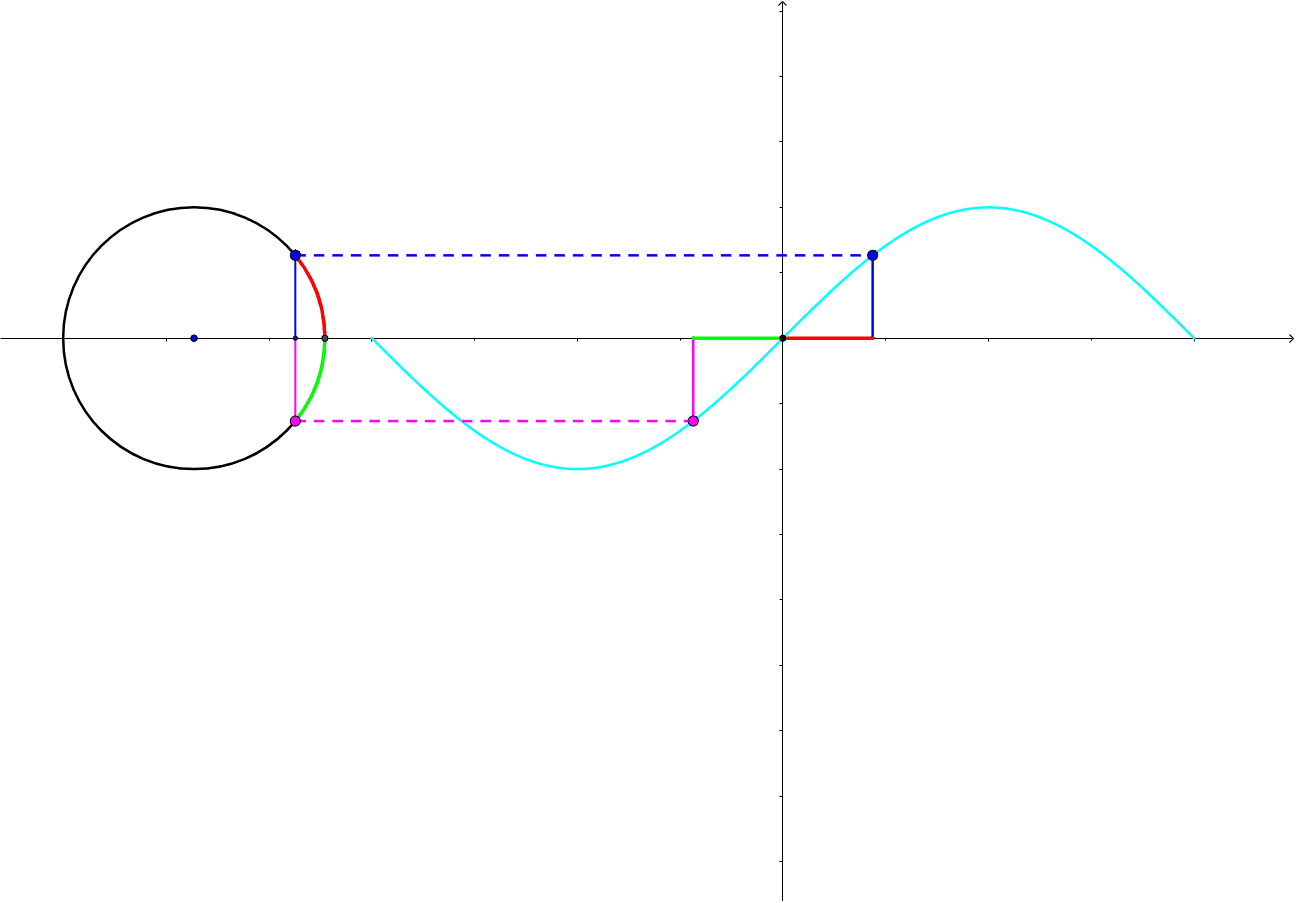
This example demonstrates the symmetry of the sine curve. Key mathematical concepts include the sine function and symmetry. Using GeoGebra commands such as Intersect, Semicircle, and Point, the construction of the symmetric sine curve is illustrated. Suitable for high school mathematics education to help students understand the properties of the sine function.
GeoGebra Commands & Parameters
Intersect(c, xAxis, 1) → JIntersect(c, xAxis, 2) → DSemicircle(J, D) → ePoint(e) → BOrthogonalLine(B, xAxis) → bIntersect(b, xAxis) → ASegment(A, B) → dCircleArc(O, D, B) → fOrthogonalLine(E, xAxis) → gIntersect(g, xAxis) → FSegment(F, E) → hSegment(G, F) → iSegment(B, E) → qAngle(D, O, B) → αSegment(O, B) → a_2Polygon(O, A, B) → poly1, b_1, a_1, c_1Mirror(O, xAxis) → A'Mirror(A, xAxis) → C'Mirror(B, xAxis) → B'Polygon(A', C', B') → poly1', b', a', c'Segment(B', H) → jOrthogonalLine(H, xAxis) → kOrthogonalLine(H, xAxis) → lIntersect(l, xAxis) → ISegment(H, I) → mCircleArc(O, B', D) → pSegment(G, I) → n
AI Drawing Prompt Reference
Draw a sine curve to demonstrate its symmetry. Start by plotting the x-axis and a half-wave of the sine function using semicircles and perpendicular lines to find key points. Connect these points to form the curve, then mirror the entire figure across the origin to highlight the symmetry of the sine function.
The prompt above was compiled from the original drawing commands and is for reference only.