
Symmetry Line Demonstration
Loading the math board and drawing, please wait…
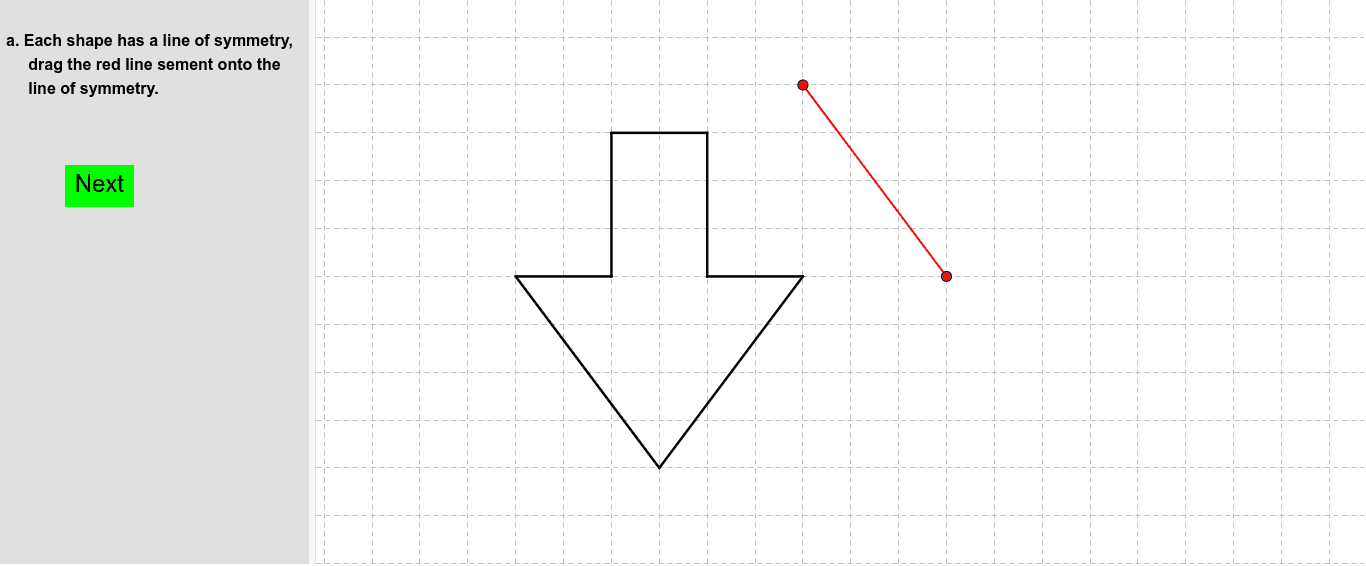
This example demonstrates how to draw and visualize the line of symmetry in a geometric figure. It involves core math concepts like symmetry and geometric construction. Key GeoGebra commands used include Segment, Polygon, Line, Circle, Point, and CircumcircleArc for constructing the figure and its symmetry line. Suitable for middle school and high school mathematics education to understand the properties and drawing methods of symmetry lines.
GeoGebra Commands & Parameters
Segment(A, B) → aSegment(B, D) → bSegment(A, C) → cSegment(E, C) → dSegment(D, F) → eSegment(F, G) → fSegment(E, G) → gSegment(H, I) → hPolygon(J, K, L) → poly1, l, j, kSegment(M, N) → iSegment(O, N) → mSegment(M, O) → nSegment(P, Q) → pSegment(P, R) → qSegment(Q, S) → rSegment(R, T) → sSegment(S, U) → tSegment(T, U) → a_1Line(V, W) → b_1Segment(Z, A_1) → c_1Line(B_1, C_1) → d_1Line(D_1, E_1) → e_1Segment(F_1, G_1) → f_1Segment(H_1, I_1) → g_1Line(J_1, K_1) → h_1Segment(L_1, M_1) → i_1Segment(M_1, N_1) → j_1Segment(L_1, O_1) → k_1Segment(O_1, P_1) → l_1Segment(N_1, Q_1) → m_1Segment(P_1, R_1) → n_1Segment(Q_1, S_1) → p_1Segment(R_1, T_1) → q_1Segment(T_1, S_1) → r_1Segment(U_1, V_1) → s_1Line(W_1, Z_1) → t_1Circle(A_2, B_2) → c_2Point(c_2) → C_2Point(c_2) → E_2CircumcircleArc(C_2, D_2, E_2) → d_2CircumcircleArc(C_2, F_2, E_2) → e_2Line(G_2, H_2) → a_2Segment(I_2, J_2) → b_2CircumcircleArc(K_2, L_2, M_2) → f_2Circle(N_2, L_2) → g_2Segment(K_2, N_2) → h_2Segment(N_2, M_2) → i_2Line(O_2, P_2) → j_2Segment(Q_2, R_2) → k_2Circle(S_2, T_2) → p_2Point(p_2) → U_2Point(p_2) → W_2CircumcircleArc(T_2, W_2, U_2) → q_2Segment(V_2, T_2) → l_2Segment(V_2, U_2) → m_2Polygon(V_2, T_2, U_2) → poly2, u_2, v_2, t_2Segment(Z_2, A_3) → n_2Line(B_3, C_3) → r_2Polygon(D_3, E_3, F_3, G_3) → poly3, d_3, e_3, f_3, g_3Polygon(F_3, J_3, K_3, G_3) → poly4, f_4, j_3, k_3, g_4Polygon(F_3, I_3, H_3, E_3) → poly5, f_5, i_3, h_3, e_4Polygon(L_3, M_3, N_3, O_3) → poly6, l_3, m_3, n_3, o_3Polygon(O_3, P_3, Q_3, R_3) → poly7, o_1, p_3, q_3, r_3Polygon(Q_3, S_3, T_3, U_3) → poly8, q_4, s_3, t_3, u_3Point(m_3) → W_3Polygon(M_3, V_3, T_3, W_3) → poly9, m_4, v_3, t_4, w_3Polygon(Z_3, A_4, B_4, C_4) → poly10, z_3, a_4, b_4, c_4Point(a_4) → E_4Polygon(D_4, E_4, F_4, G_4) → poly11, d_4, e_5, f_6, g_5Polygon(H_4, I_4, J_4, K_4) → poly12, h_4, i_4, j_4, k_4Point(i_4) → L_4Polygon(L_4, M_4, N_4, O_4) → poly13, l_4, m_5, n_4, o_4Polygon(P_4, Q_4, B_5, C_5, R_4, S_4, T_4, U_4, V_4, W_4, Z_4, A_5) → poly14, p_4, a_5, b_5, c_5, q_5, r_4, s_4, t_5, u_4, v_4, w_4, z_4Segment(D_5, E_5) → s_2Segment(F_5, G_5) → a_3Segment(H_5, I_5) → b_3Segment(J_5, K_5) → c_3Line(L_5, M_5) → d_5Line(N_5, O_5) → h_5Line(P_5, Q_5) → i_5Line(R_5, S_5) → j_5Segment(T_5, U_5) → k_5Segment(V_5, W_5) → l_5Line(Z_5, A_6) → n_5Line(B_6, C_6) → p_5