
Symmetry in Motion: Points Shifting Along Curves
Loading the math board and drawing, please wait…
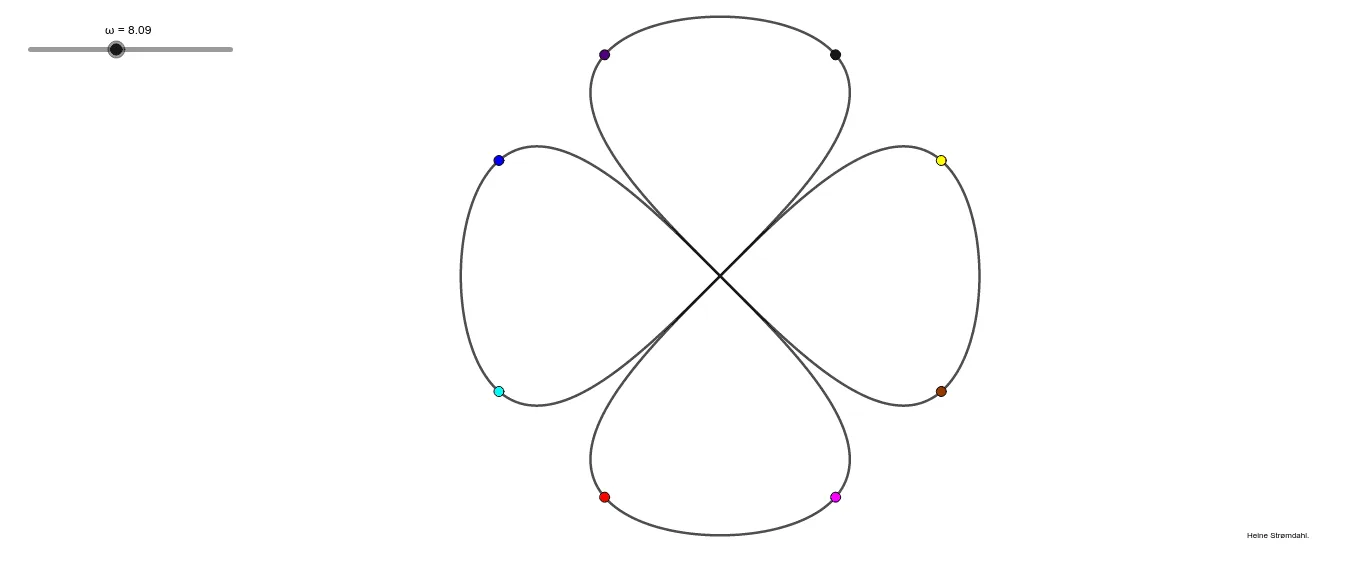
① This example demonstrates multiple points moving along different curves (including circles and parametric curves), smoothly transitioning from one curve to another while maintaining an overall symmetric dynamic pattern. ② Core mathematical concepts include symmetry transformations (reflection, dilation/similarity), parametric curves, trigonometric functions, conic sections (circles), and geometric relations of intersections and loci. ③ Construction highlights: using GeoGebra commands CurveCartesian to define parametric curves and Circle to draw circles, with objects a, b, ω, F1, P2, A, c, tekst1, C, D, P1, E, F, Q1, G, H, I, J, K, B, L, M, N, O; a slider or parameter ω drives the motion, enabling points to shift from one curve to another while mirror points are generated via symmetry. ④ Suitable for high school to undergraduate mathematics education, especially for visual demonstrations in analytic geometry, trigonometry, and transformation geometry, as well as for generating symmetric patterns in design.
GeoGebra Commands & Parameters
CurveCartesian((cos(ω), (cos(ω) * sin(ω))), ω, 0, (2 * π)) → aCurveCartesian(((cos(ω) * sin(ω)), cos(ω)), ω, 0, (2 * π)) → bCircle(A, 0.1) → c
AI Drawing Prompt Reference
Draw a symmetric dynamic pattern with two intertwined parametric curves: one defined by points (cos(ω), cos(ω)sin(ω)) and the other by (cos(ω)sin(ω), cos(ω)), both traced as ω varies from 0 to 2π, forming closed symmetric loops. Place a small circle near their intersection as a marker, and let a driving parameter move points along the curves while generating mirror points via symmetry, creating a smooth, balanced motion.
The prompt above was compiled from the original drawing commands and is for reference only.