
Symmetry and Calculus Interaction Demo
Loading the math board and drawing, please wait…
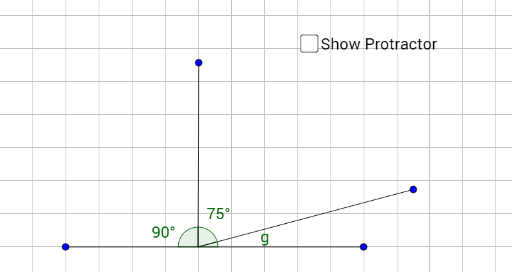
This example dynamically demonstrates the symmetry relationship between function graphs and geometric transformations. It involves core math concepts like symmetry, calculus, derivatives, and geometric transformations. Construction uses GeoGebra commands: Segment, Point, Angle; objects include pic1, d, A, B, f, C, D, g, E, h, α, β, γ. Suitable for high school and above students to understand the connection between function transformations, geometric symmetry, and calculus applications in geometry.
GeoGebra Commands & Parameters
Segment(A, B) → fPoint(f) → CSegment(C, D) → gSegment(C, E) → hAngle(D, C, A) → αAngle(E, C, D) → βAngle(B, C, E) → γ
AI Drawing Prompt Reference
Draw a function graph and demonstrate its symmetry and geometric transformations. Start by drawing a line segment, then take a point on it, and draw two line segments from this point to the ends of the original segment, forming three angles. Next, draw two parallel line segments based on the original segment and label the sizes of the three angles to illustrate symmetry and geometric transformations.
The prompt above was compiled from the original drawing commands and is for reference only.