
Surface of Revolution: Generating a 3D Solid by Rotating a Curve
Loading the math board and drawing, please wait…
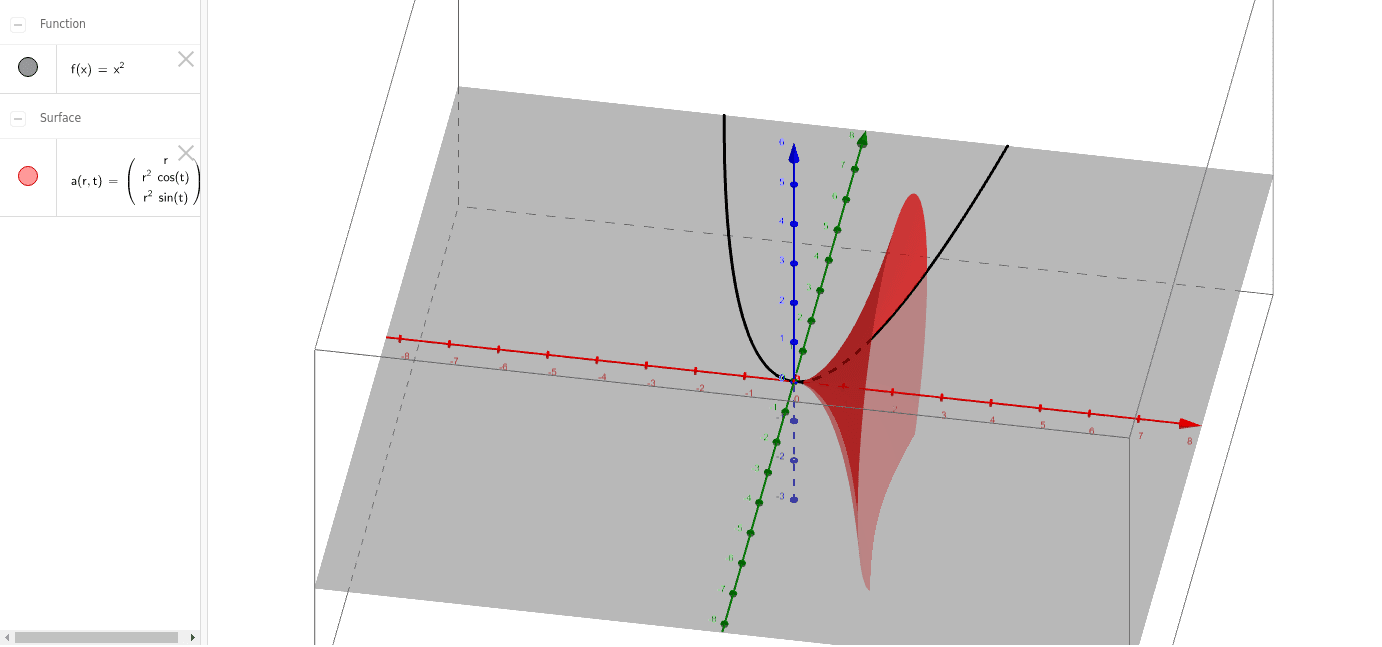
① This example demonstrates how to use GeoGebra's Surface command to rotate a curve (object a) around an axis (object f), generating a three-dimensional surface of revolution, visually showing the transition from a planar curve to a solid surface. ② Core mathematical concepts include solids of revolution, parametric surfaces, coordinate transformations in 3D space, and the foundational ideas of volume and surface area in calculus. ③ Construction highlights: The Surface command takes the curve a and the axis f (likely a line or vector) as inputs, automatically producing the surface; users can adjust the curve parameters or the axis orientation to observe changes in the surface shape. ④ Suitable for high school to university students studying solid geometry, calculus, or 3D modeling, and for teachers demonstrating the generation of revolution solids in class, enhancing geometric intuition from 2D to 3D.
GeoGebra Commands & Parameters
Surface(r, (r^(2) * cos(t)), (r^(2) * sin(t)), r, 0, 2, t, 0, 6.28319) → a