
Surface Construction Example
Loading the math board and drawing, please wait…
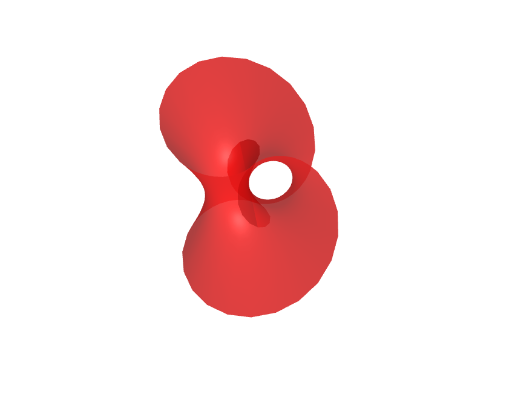
This example demonstrates how to construct a 3D surface using GeoGebra, involving core mathematical concepts like surface, arithmetic operations, parametric curves, equations, set theory, and circle. The construction uses the Surface command and objects b, bb, a for parametric representation, suitable for high school and above learners to understand 3D geometry and parametric equations.
GeoGebra Commands & Parameters
Surface(((1 + ((v * b) * cos((u * b)))) * cos(u)), ((1 + ((v * b) * cos((u * b)))) * sin(u)), ((v * b) * sin((u * b))), u, -3.14159, 3.141592653589793, v, (-bb), bb) → a
AI Drawing Prompt Reference
Create a 3D surface using parameters u and v, where u ranges from -π to π and v ranges from -b to b. The x-coordinate is (1 + (v * b * cos(u * b))) * cos(u), the y-coordinate is (1 + (v * b * cos(u * b))) * sin(u), and the z-coordinate is (v * b * sin(u * b)).
The prompt above was compiled from the original drawing commands and is for reference only.