
SSS Congruent Triangle Exploration
Loading the math board and drawing, please wait…
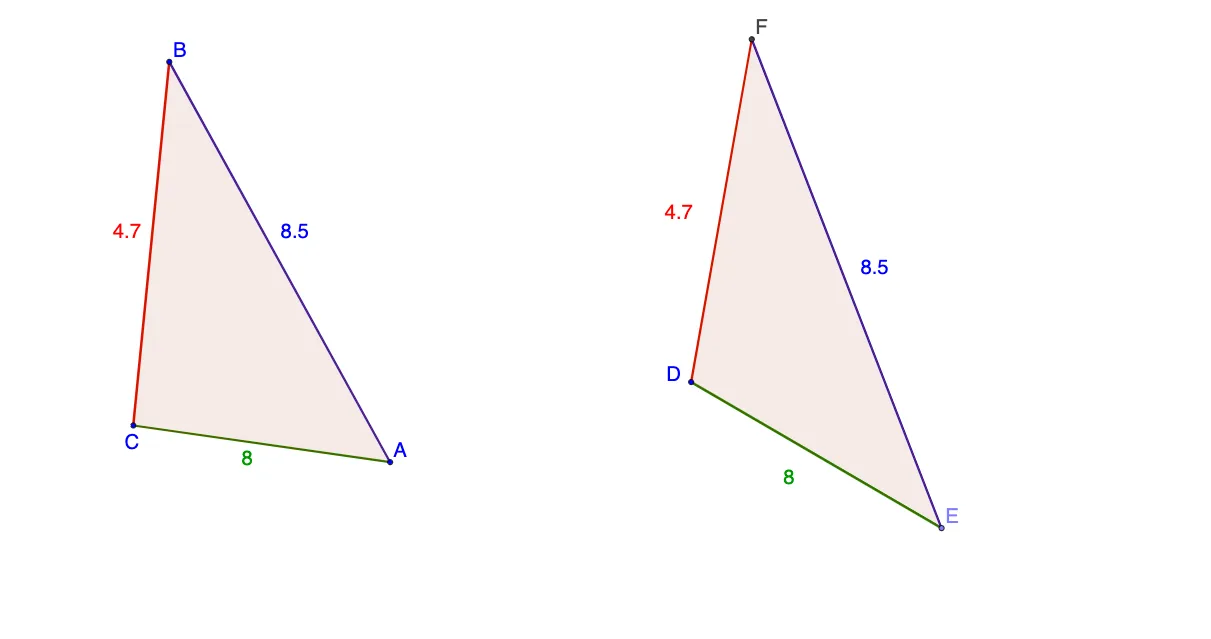
This GeoGebra example dynamically demonstrates that two triangles with three corresponding equal sides (SSS) are congruent. The core mathematical concept is the SSS congruence criterion: if all three sides of one triangle are equal to the corresponding sides of another, the triangles are identical in shape and size. Construction highlights: using Circle commands to draw arcs with given segment lengths, Segment to connect intersection points, Point and Intersect to define vertices, and Polygon to form the triangles. A second triangle is constructed with the same side lengths to visually verify congruence. Ideal for middle school geometry lessons, helping students grasp the SSS postulate and explore related properties such as isosceles triangles.
GeoGebra Commands & Parameters
Circle(A, B) → cCircle(C, B) → dSegment(C, A) → aSegment(C, B) → bSegment(B, A) → ePoint(Circle[D, abs(a)]) → ESegment(D, E) → fCircle(D, b) → gCircle(E, e) → hIntersect(g, h, 1) → FSegment(F, D) → iSegment(F, E) → jPolygon(C, B, A) → poly1, a_1, c_1, b_1Polygon(D, F, E) → poly2, e_1, d_1, f_1
AI Drawing Prompt Reference
Draw two triangles with equal corresponding sides, using arcs and connecting intersection points to form the sides, to demonstrate that they are congruent, suitable for geometry lessons emphasizing that equal sides result in identical shape and size.
The prompt above was compiled from the original drawing commands and is for reference only.