
SSS Congruence Triangle Demo
Loading the math board and drawing, please wait…
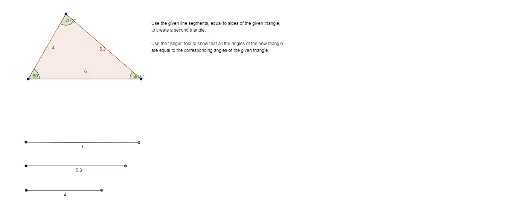
This example dynamically demonstrates the SSS congruence theorem for triangles, involving core concepts of triangle congruence, geometric construction. It uses commands like Polygon, Point, Segment, Angle to construct triangles and angle labels, with objects including points A, B, C, polygon poly1, and angles α, β, γ. Suitable for middle school students and above for learning and teaching triangle congruence criteria.
GeoGebra Commands & Parameters
Polygon(A, B, C) → poly1, c, a, bPoint(Circle[D, Distance[A, B]]) → ESegment(D, E) → dPoint(Circle[F, Distance[B, C]]) → GSegment(F, G) → ePoint(Circle[H, Distance[A, C]]) → ISegment(H, I) → fAngle(A, B, C) → αAngle(B, C, A) → βAngle(C, A, B) → γ
AI Drawing Prompt Reference
Draw a dynamic demonstration of the SSS triangle congruence theorem, featuring three triangles that show congruence through construction and angle labels. Start by plotting three points and connecting them to form a triangle, labeling its three interior angles. Then, using the sides of this triangle as radii, draw circles on each side, locate their intersection points, and connect these points to form a new triangle, visually demonstrating the congruence criteria.
The prompt above was compiled from the original drawing commands and is for reference only.