
Squares and Parallelograms on Triangle
Loading the math board and drawing, please wait…
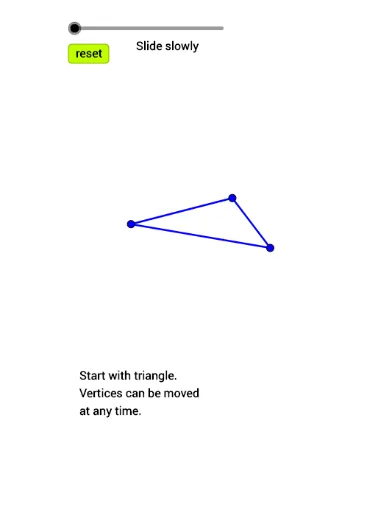
This example demonstrates the construction of squares and parallelograms on a triangle. Key mathematical concepts include similarity transformation, similarity, slope difference, and general quadrilateral. Using GeoGebra commands such as Polygon, Segment, If, Line, Intersect, etc., various geometric objects such as polygons, segments, and rays are constructed. Suitable for middle school and above students to learn geometric construction and transformation.
GeoGebra Commands & Parameters
Polygon(B, A, 4) → poly3, r, s, t, a, H, ISegment(A, B) → fSegment(B, C) → gSegment(C, A) → hPolygon(C, B, 4) → poly1, i, j, k, l, D, EPolygon(A, C, 4) → poly2, m, n_1, p, q, F, GIf(t1 ≤ 1, Segment[B, B + (t1 * (D - B))], If[t1 ≤ 2, Segment[D, D + ((t1 - 1) * (E - D))], Segment[E, E + ((t1 - 2) * (C - E))]]) → eIf(t1 ≤ 1, Segment[B, B + (t1 * (D - B))], If[t1 ≤ 2, Segment[D, D + ((t1 - 1) * (E - D))], Segment[E, E + ((t1 - 2) * (C - E))]]) → f_1If(t2 ≤ 1, Segment[C, C + (t2 * (F - C))], If[t2 ≤ 2, Segment[F, F + ((t2 - 1) * (G - F))], Segment[G, G + ((t2 - 2) * (A - G))]]) → i_1If(t3 ≤ 1, Segment[A, A + (t3 * (H - A))], If[t3 ≤ 2, Segment[H, H + ((t3 - 1) * (I - H))], Segment[I, I + ((t3 - 2) * (B - I))]]) → g_1Line(E, n_1) → bLine(F, e) → cIntersect(b, c) → JLine(H, i_1) → dLine(G, s) → h_1Intersect(d, h_1) → KLine(I, j) → j_1Line(D, g_1) → k_1Intersect(k_1, j_1) → LSegment(E, E + (t4 * (J - E))) → l_1Segment(F, F + (t4 * (J - F))) → m_1Segment(G, G + (t5 * (K - G))) → p_1Segment(H, H + (t5 * (K - H))) → q_1Segment(I, I + (t6 * (L - I))) → r_1Segment(D, D + (t6 * (L - D))) → s_1Ray(L, B) → t_1Ray(K, A) → a_1Midpoint(F, A) → QMidpoint(H, B) → RMidpoint(D, C) → SSegment(L, L + (t7 * (Q - L))) → d_1Segment(J, J + (t7 * (R - J))) → c_1Intersect(d_1, c_1) → MSegment(K, K + (t7 * (S - K))) → b_1
AI Drawing Prompt Reference
Construct a triangle, then build squares outward on each of its three sides. On each square, attach a parallelogram whose outer vertex can slide along the square's perimeter using three separate sliders. Connect the outer vertices of the parallelograms to form three intersection points, and draw rays from these points to the triangle's vertices. Finally, take midpoints of certain segments, connect them to the intersection points, and find new intersections, creating a complex geometric figure with triangles, squares, parallelograms, segments, rays, and points.
The prompt above was compiled from the original drawing commands and is for reference only.