
Square Root Geometric Construction
Loading the math board and drawing, please wait…
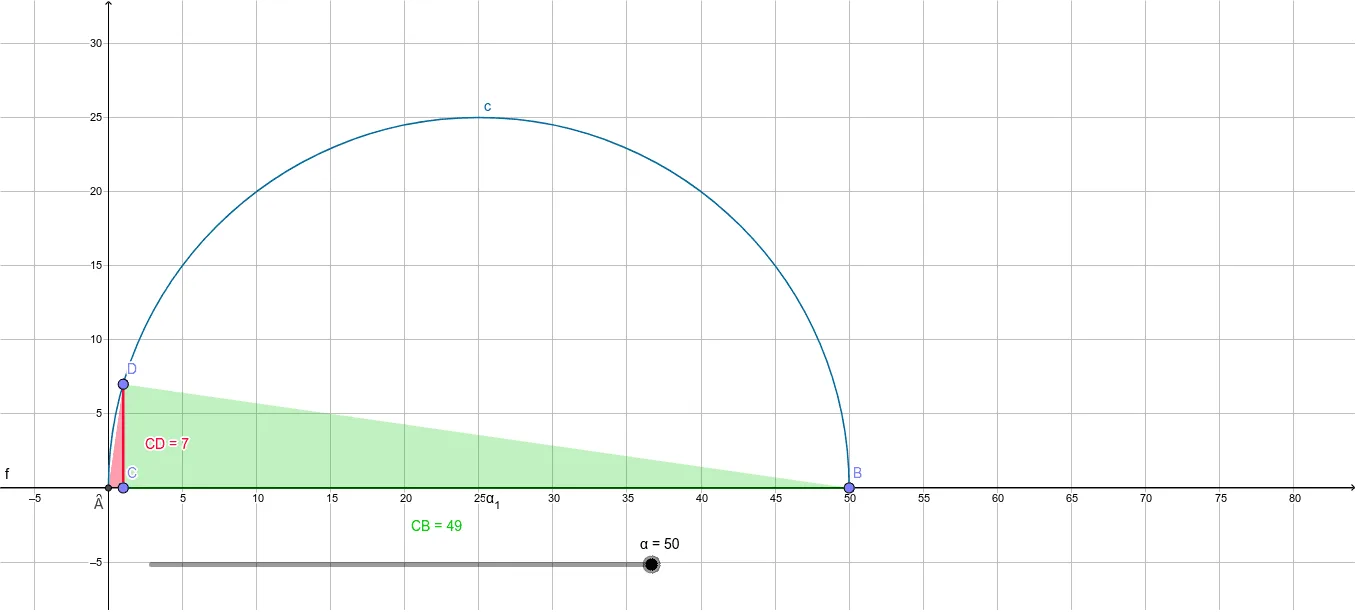
This example demonstrates how to geometrically construct the square root of a number. It involves core mathematical concepts such as geometric construction, circles, right triangles, and similar triangles. Key construction steps include using GeoGebra commands/objects like Point, Intersect, Semicircle, Line, OrthogonalLine, Segment, and Polygon. Suitable for middle school students and above learning geometric construction methods, or for mathematical teaching demonstrations.
GeoGebra Commands & Parameters
Point({α, 0}) → BIntersect(xAxis, yAxis) → ASemicircle(A, B) → cLine(A, B) → fOrthogonalLine(E, f) → hPoint(xAxis) → CIntersect(c, h) → D,Segment(C, D) → CDPolygon(A, B, D) → poly1, d, a, bPolygon(A, D, C) → poly2, c_1, a_1, d_1Polygon(C, B, D) → poly3, d_2, c_2, b_1Segment(C, B) → CB
AI Drawing Prompt Reference
Draw a geometric construction showing how to construct the square root of a number. Include a circle, a line, and two triangles. Start with the intersection of coordinate axes, then draw a semicircle, followed by a line and a perpendicular line. Find the intersection of the semicircle and perpendicular line, and connect these points to form two triangles and a quadrilateral, demonstrating the geometric meaning of the square root.
The prompt above was compiled from the original drawing commands and is for reference only.