
Square Root Function Pattern Investigation
Loading the math board and drawing, please wait…
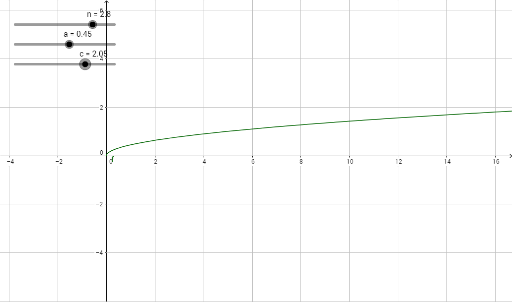
This example demonstrates the pattern of square root functions by dynamically adjusting parameters to observe their graphs and correlations with right triangles and rhombuses. Core math concepts include square root functions, coordinate geometry, properties of right triangles, and symmetry of rhombuses. GeoGebra commands used: a (parameter), f (function), n (point), b (point), c (point), d (point), e (point). Suitable for high school mathematics teaching to understand function graph transformations and geometric shape integration.
GeoGebra Commands & Parameters
Numeric a(0.45)f(x) = (a * sqrt(x))Numeric n(2.8)f(n)Numeric c(2.05)f((n * c))f((n * c)) / f(n)
AI Drawing Prompt Reference
Draw a coordinate plane with a square root function curve opening to the right. Place a point on the curve and drop a perpendicular to the x-axis, forming a right triangle. Choose another point on the curve whose x-coordinate is a multiple of the first point's x-coordinate, and drop another perpendicular to form a second right triangle. Compare the ratios of the vertical leg lengths to the horizontal distances, and observe how these ratios relate to the function values. Additionally, include a rhombus whose symmetry axes align with the coordinate axes, with its vertices touching the curve at relevant points, to illustrate the symmetry of the function graph. The overall figure is for investigating how changing a parameter affects the curve and its geometric connections.
The prompt above was compiled from the original drawing commands and is for reference only.