
Square Construction by ADarkenedAlley (2)
Loading the math board and drawing, please wait…
In collections
Square Translation Tessellation
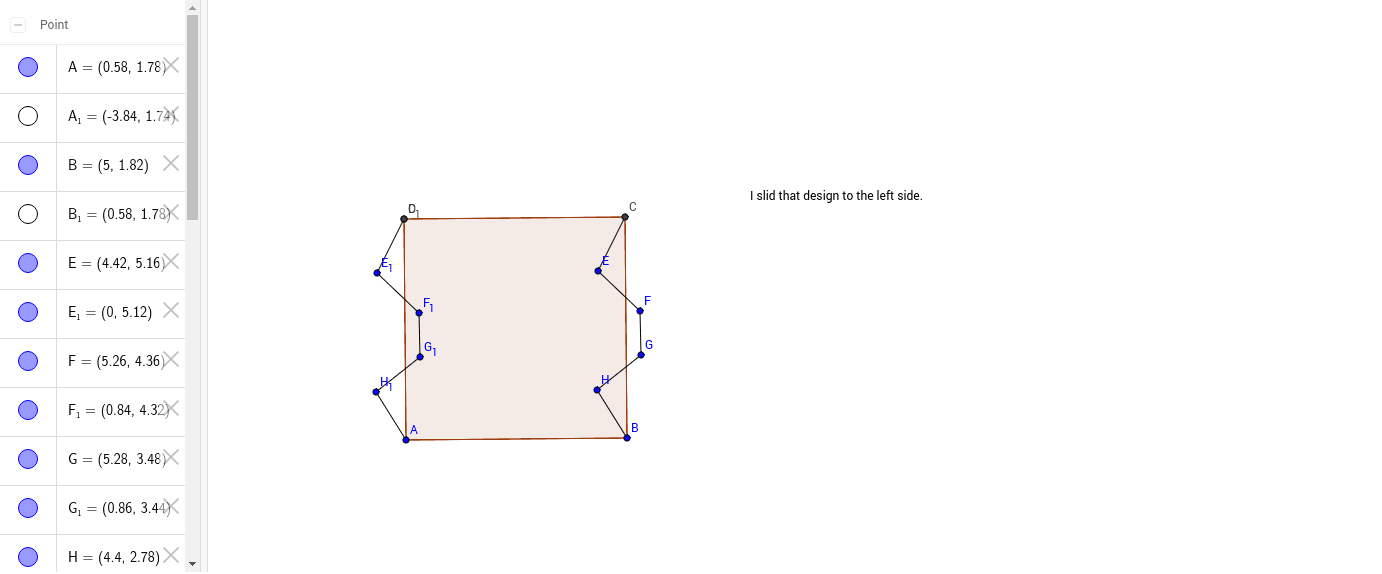
This example demonstrates how to construct a square using GeoGebra. It involves key mathematical concepts such as geometric construction and polygons. By using the Polygon and Segment commands, users can easily create a square. Suitable for middle school and above students to learn geometric construction.
GeoGebra Commands & Parameters
Polygon(A, B, 4) → poly1, a, b, c, d, C, DSegment(C, E) → eSegment(E, F) → fSegment(F, G) → gSegment(G, H) → hSegment(H, B) → iPolygon(A_1, B_1, 4) → poly1_1, a_1, b_1, c_1, d_1, C_1, D_1Segment(C_1, E_1) → e_1Segment(E_1, F_1) → f_1Segment(F_1, G_1) → g_1Segment(G_1, H_1) → h_1Segment(H_1, B_1) → i_1
AI Drawing Prompt Reference
Draw a square using points A and B as the endpoints of the diagonal, then connect points C, D, E, F, G, H to form the four sides of the square. Repeat the process using points A and B again to create a second square.
The prompt above was compiled from the original drawing commands and is for reference only.