
Drawing a Square
Loading the math board and drawing, please wait…
In collections
Square Translation Tessellation
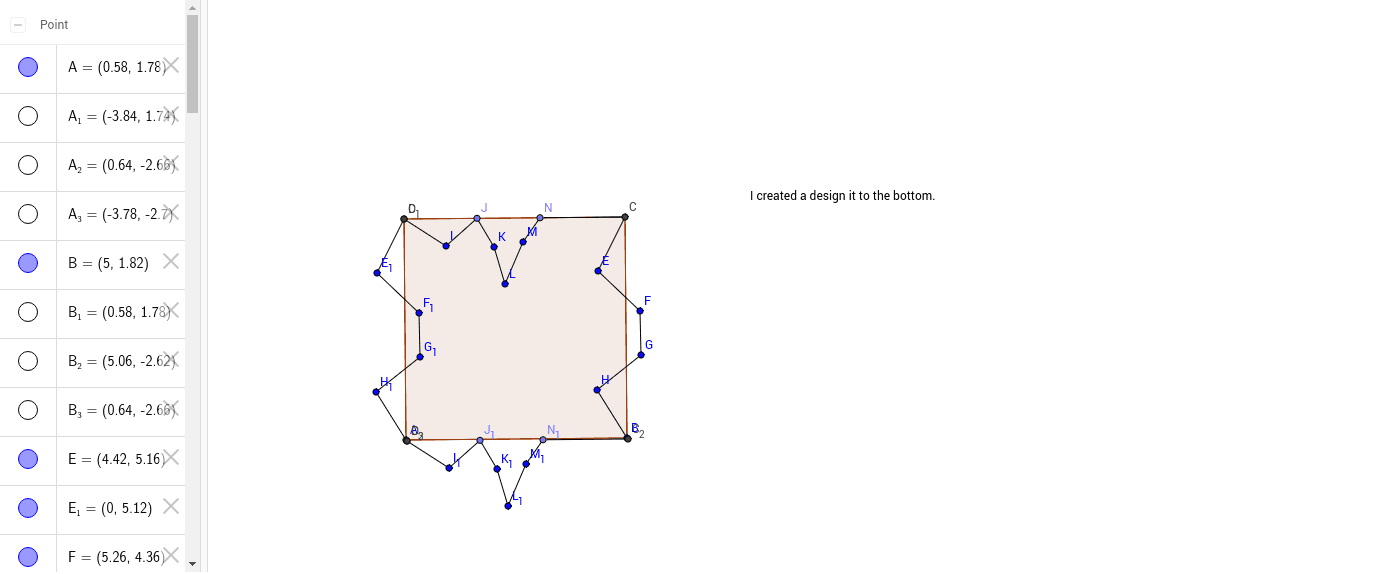
This example demonstrates how to draw a square and explore its properties. Key math concepts include polygons, coordinate geometry, geometric construction, and perimeter calculation. It uses commands like Polygon, Segment, and Point to construct vertices and edges, involving points a, b, c, d, and polygon poly1. Suitable for middle school students learning polygon drawing and coordinate geometry applications.
GeoGebra Commands & Parameters
Polygon(A, B, 4) → poly1, a, b, c, d, C, DSegment(C, E) → eSegment(E, F) → fSegment(F, G) → gSegment(G, H) → hSegment(H, B) → iPolygon(A_1, B_1, 4) → poly1_1, a_1, b_1, c_1, d_1, C_1, D_1Segment(C_1, E_1) → e_1Segment(E_1, F_1) → f_1Segment(F_1, G_1) → g_1Segment(G_1, H_1) → h_1Segment(H_1, B_1) → i_1Segment(D, I) → jPoint(c) → JSegment(I, J) → kSegment(K, J) → lSegment(K, L) → mSegment(L, M) → nPoint(c) → NSegment(M, N) → pSegment(C, N) → qPolygon(A_2, B_2, 4) → poly1_2, a_3, b_3, c_2, d_3, C_2, D_2Polygon(A_3, B_3, 4) → poly1_3, a_2, b_2, c_3, d_2, C_3, D_3Segment(D_2, I_1) → j_1Point(c_2) → J_1Segment(I_1, J_1) → k_1Segment(K_1, J_1) → l_1Segment(K_1, L_1) → m_1Segment(L_1, M_1) → n_1Point(c_2) → N_1Segment(M_1, N_1) → p_1Segment(C_2, N_1) → q_1
AI Drawing Prompt Reference
Draw a square using points A, B, C, and D as vertices. Then draw the four sides of the square. Next, draw the diagonals AC and BD, and draw a line segment from point C to point J. Finally, draw the incircle of the square, ensuring the center is at the square's center.
The prompt above was compiled from the original drawing commands and is for reference only.