
Square Base Pyramid (Volume and Surface Area)
Loading the math board and drawing, please wait…
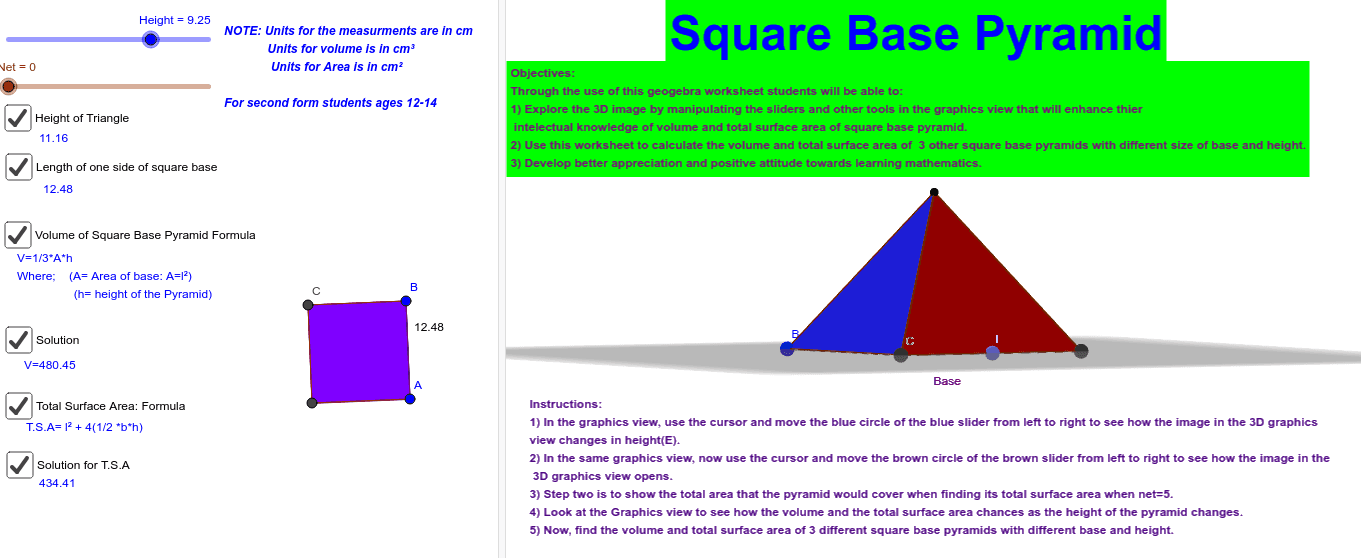
This example demonstrates a square base pyramid, focusing on volume and surface area calculations. Using GeoGebra commands such as Segment, Polygon, LineBisector, etc., a geometric model of the pyramid is constructed. Suitable for middle school students, this example helps in understanding the concepts of solid geometry, volume, and surface area.
GeoGebra Commands & Parameters
Segment(A, B) → a_1Polygon(A, B, 4) → Base, b, c, d, e, C, DLineBisector(D, A) → fLineBisector(B, A) → gIntersect(f, g) → EPyramid(Base, Height) → Volume, F, faceABF, faceBCF, faceCDF, faceADF, edgeAF, edgeBF, edgeCF, edgeDFNet(Volume, Net) → n_1, W, face1, face3, face4, face2, edgeWZ, edge4, edge7, edge1, edge2, edge5, Z, edge6, edge8, edge9, edge10, edge11, edge3, A_1, B_1, C_1, D_1, E_1, F_1, face5PointIn(Base) → Pointpoly1_1PointIn(Base) → Pointpoly1PointIn(Base) → PointBase_1Distance(C, B) → distanceCBPointIn(face3) → Pointface3_1LineBisector(C, B) → aIntersect(a, edge8) → GIntersect(a, c) → HDistance(G, H) → distanceGHSegment(G, H) → iPointIn(face3) → Pointface3_2Distance(A, B) → distanceABVolume(n_1) → volumen1Point(n_1) → Pointn1Textfield(distanceAB) → InputBox1PointIn(face4) → Pointface4PointIn(face3) → Pointface3PointIn(face1) → Pointface1PointIn(face2) → Pointface2PointIn(Base) → PointBaseOrthogonalLine(B, c, space) → nPointIn(face4) → ISegment(F, I) → p