
Special Right Triangles by tresnap
Loading the math board and drawing, please wait…
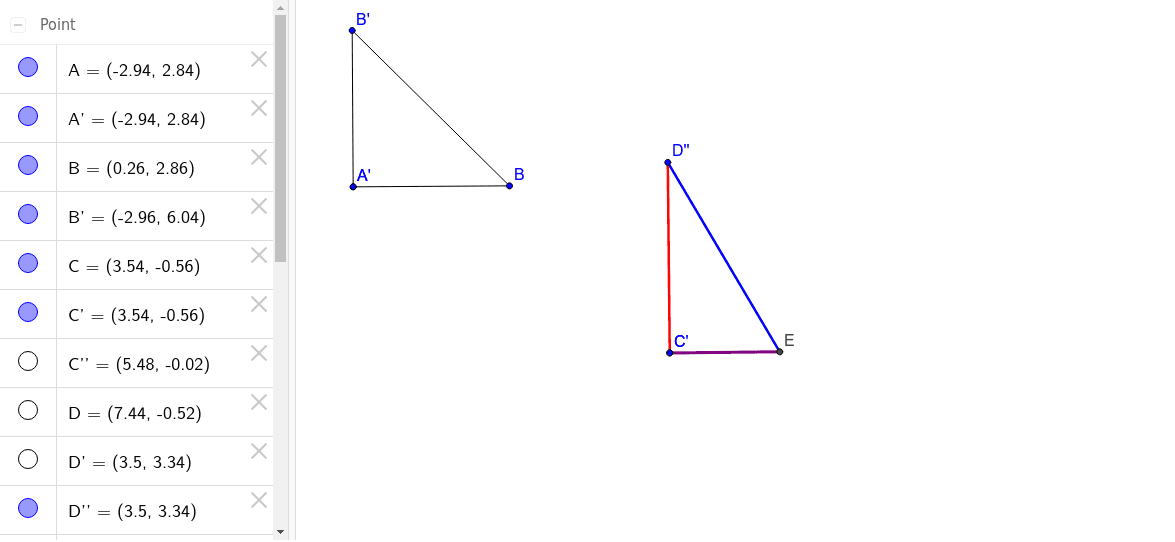
This example demonstrates the construction and properties of two types of special right triangles: 30°-60°-90° and 45°-45°-90°. It involves core mathematical concepts such as right triangles, trigonometry, proportional relationships, and geometric transformations. The construction uses commands like Segment, Rotate, Ray, and Intersect in GeoGebra. It is suitable for high school mathematics education, helping students understand and master the methods of constructing special right triangles and their applications.
GeoGebra Commands & Parameters
Segment(A, B) → aRotate(A, 90*°, A) → A'Rotate(B, 90*°, A) → B'Segment(A', B') → a'Segment(B', B) → bSegment(C, D) → cRotate(C, 90*°, C) → C'Rotate(D, 90*°, C) → D'Segment(C', D') → c'Rotate(C', 30*°, D') → C''Rotate(D', 30*°, D') → D''Segment(C'', D'') → c''Ray(D', C'') → dIntersect(c, d) → ESegment(C, E) → eSegment(D'', E) → f
AI Drawing Prompt Reference
Draw a 30°-60°-90° special right triangle by first drawing the right side a, then rotating 90° to get the right side b and hypotenuse a'. Next, draw a 45°-45°-90° special right triangle, draw the isosceles right side c, rotate 90° to get the right side c', and then rotate 30° to get c''. Draw the 45° angle side d, connect it with c to intersect at E, then draw CE and DE to get the right sides e and f.
The prompt above was compiled from the original drawing commands and is for reference only.