
Solving Systems of Linear Equations - Graphing Method
Loading the math board and drawing, please wait…
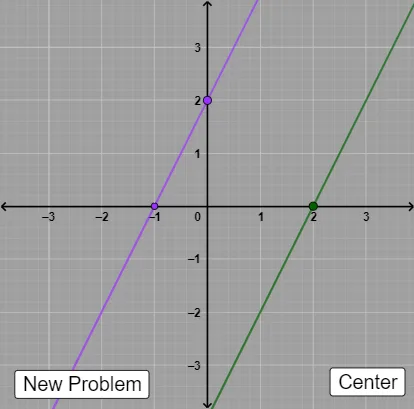
This example demonstrates solving systems of two linear equations using the graphing method. Key mathematical concepts include linear equations and coordinate geometry. Using GeoGebra commands such as Random, Sequence, RandomElement, and Line, the example dynamically illustrates the solution of the system. Suitable for students in middle school and above.
GeoGebra Commands & Parameters
Random(-5, 5) → cSequence(-5, 5) → dlistRandomElement(dlist) → dRandom(-5, 5) → aRandom(-5, 5) → bLine(A, B) → fTextfield(k) → InputBox1Textfield(l) → InputBox2Line(A, C) → gLine(D, E) → hLine(F, G) → iSlope(f) → eSlope(g) → jFractionText(e) → text3FractionText(j) → text4
AI Drawing Prompt Reference
On a coordinate plane, draw two lines to represent a system of two linear equations solved by the graphing method. First, choose coefficients at random to define the first line and compute its slope, then choose another set to define the second line and compute its slope as well. Add two editable input fields for two parameters so the displayed information can be tied to user input. Place text annotations showing each line’s slope in fractional form, and keep both lines within the same coordinate system so their intersection indicates the solution to the system.
The prompt above was compiled from the original drawing commands and is for reference only.