
Solving Simple Equations with Inverse Operations
Loading the math board and drawing, please wait…
In collections
Gleichungen lösen mit Umkehroperationen
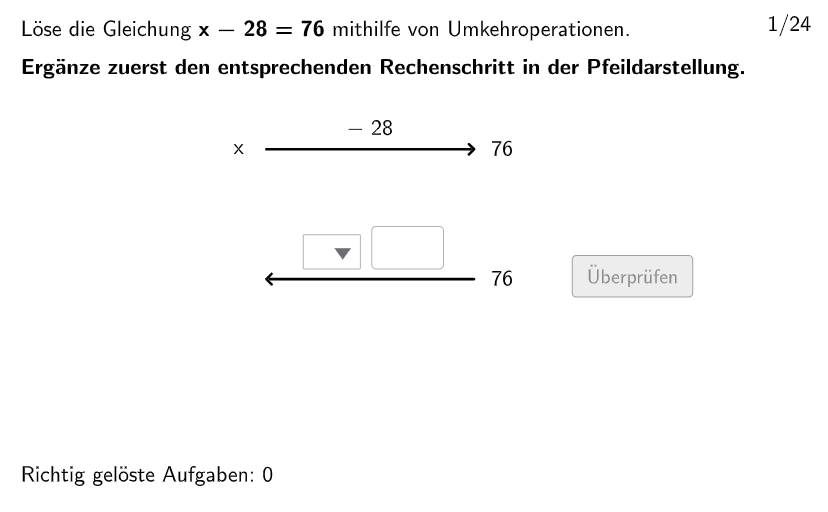
This example demonstrates how to use inverse operations to solve simple linear equations. It involves the core mathematical concept of inverse operations and linear equations. The construction points include: using Shuffle, Join, Insert, etc. GeoGebra commands to generate random linear equations, using Invert command to solve the equation, using Textfield and Element commands to display the result. It is suitable for middle school mathematics education, especially for solving linear equations.
GeoGebra Commands & Parameters
Shuffle(1…6) → Type1List, {3, 4, 1, 6, 5, 2}Shuffle(13…18) → Type3List, {17, 13, 14, 16, 18, 15}Shuffle(19…24) → Type4List, {23, 24, 19, 22, 20, 21}Join({{2}, Shuffle[{1, 3, 4}]}) → Round1Insert(Last[Round1], Shuffle[Take[Round1, 1, 3]], RandomElement[2…4]) → Round2Insert(Last[Round2], Shuffle[Take[Round2, 1, 3]], RandomElement[2…4]) → Round3Insert(Last[Round3], Shuffle[Take[Round3, 1, 3]], RandomElement[2…4]) → Round4Insert(Last[Round4], Shuffle[Take[Round4, 1, 3]], RandomElement[2…4]) → Round5Insert(Last[Round5], Shuffle[Take[Round5, 1, 3]], RandomElement[2…4]) → Round6Join({{8}, Shuffle[{7, 9, 10, 11, 12}]}) → Type2ListJoin({Round1, Round2, Round3, Round4, Round5, Round6}) → TypeListSequence(Element[If[TypeList(k) ≟ 1, Type1List, TypeList(k) ≟ 2, Type2List, TypeList(k) ≟ 3, Type3List, Type4List], floor(k / 4.1) + 1], k, 1, 24) → ReihenfolgeSelectedIndex(dropdown1) → indexdd1Textfield(input1) → InputBox1Sequence(If[TaskSignList(k) ≟ 1, 2, TaskSignList(k) ≟ 2, 1, TaskSignList(k) ≟ 3, 4, TaskSignList(k) ≟ 4, 3], k, 1, 24) → UTaskSignListTextfield(input2) → InputBox2Shuffle(1…numberOfQuestions) → randomQuestions, {17, 19, 3, 6, 1, 4, 13, 15, 14, 5, 11, 10, 9, 16, 20, 24, 22, 8, 23, 18, 12, 21, 7, 2}Textfield(input) → inputBoxElement(randomQuestions, Mod[questionCount - 1, Length[randomQuestions]] + 1) → randomQuestionSequence(ParseToNumber[((((Text[Number1List(k)] * "") * Element[SignList, TaskSignList(k)]) * "") * Text[Number2List(k)])], k, 1, 24) → Number3ListElement(SignTextList, TaskSignList(question)) → txtSignMidpoint(Corner[txt02, 3], Corner[txt02, 2] + (3.5, 0.05)) → PosSegSegment(PosSeg, PosSeg + (segLength, 0)) → segInvert(pixMat) → invPixMatSelectedIndex(dropdown2) → indexdd2Segment(PosSegSol, PosSegSol + (segLength, 0)) → segSolText((((("\textsf{" * SignTextList(UTaskSignList(question))) * " ") * ReplaceAll[Text[number2], ".", ","]) * "}"), Midpoint[segSol], false, true, 0, 1) → txtSolution3Segment(PosSeg1, PosSeg1 + (segLength, 0)) → seg1Text((((("\textsf{" * SignTextList(TaskSignList(question))) * " ") * ReplaceAll[Text[number2], ".", ","]) * "}"), Midpoint[seg1], false, true, 0, 1) → txt03Text(txtSolution4, Midpoint[segSol] + (0.25, -1), false, true, 0, 0) → txtSolution5
AI Drawing Prompt Reference
Draw a series of linear equation solving process, including randomly generated equations, the process of solving equations using inverse operations, and text boxes to display the results. First, generate random number lists, then create equations through insertion and combination operations, and finally use inverse operations to solve the equations and display the solving process and results in the graph.
The prompt above was compiled from the original drawing commands and is for reference only.