
Slope: Intuitive Quiz Questions
Loading the math board and drawing, please wait…
This example demonstrates how to intuitively understand the concept of slope through interactive quiz questions. It involves core math concepts like linear functions, slope calculation, and coordinate geometry. Construction highlights include using GeoGebra commands such as Sequence, Union, Random, Line, FractionText, Intersect, Distance, RandomElement, Point, Circle, and Slope. Suitable for middle school and above mathematics teaching, used for formative assessment and instant feedback.
GeoGebra Commands & Parameters
Sequence(i, i, -10, -1) → aSequence(i, i, -5, 5) → wSequence(i, i, -10, -1) → bSequence(i, i, 1, 10) → cUnion(b, c) → dRandom(-12, 12) → eLine(A, B) → gFractionText(Slope[f]) → text1FractionText(f(0)) → text2Intersect(h, i) → CDistance(A, C) → distanceACDistance(C, B) → distanceCBFractionText(n) → text3FractionText(n) → text6Sequence(-10, 10, 1) → list1RandomElement(list1) → wwRandomElement(list1) → vvSequence((k * α), α, 0°, 165°, 5°) → L_1RandomElement(L_1) → a_1Line(E, Rotate[F, RandomElement[L_1], E]) → f_1Point(f_1) → GCircle(G, 3) → pIntersect(p, f_1, 1) → HSlope(f_1) → o
AI Drawing Prompt Reference
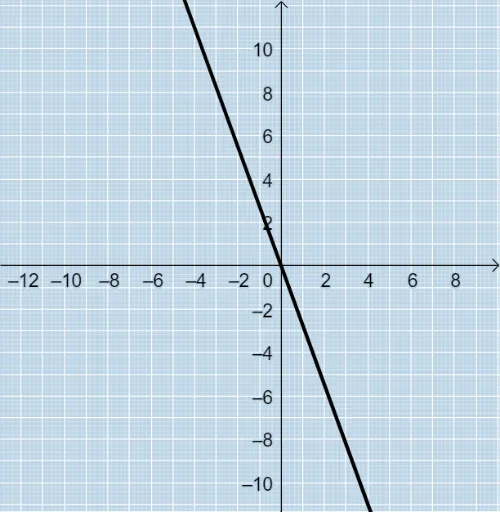
Draw a figure with a line and a circle. First, draw two parallel lines. Then, draw a line passing through the origin and display its slope. Next, randomly select an angle, rotate the line to get a new line f_1, and randomly pick a point G on f_1. With G as the center, draw a circle p with a radius of 3, and find the intersection point H with f_1. Finally, display the slope of f_1.
The prompt above was compiled from the original drawing commands and is for reference only.