
Slider-Controlled Point Between A and B
Loading the math board and drawing, please wait…
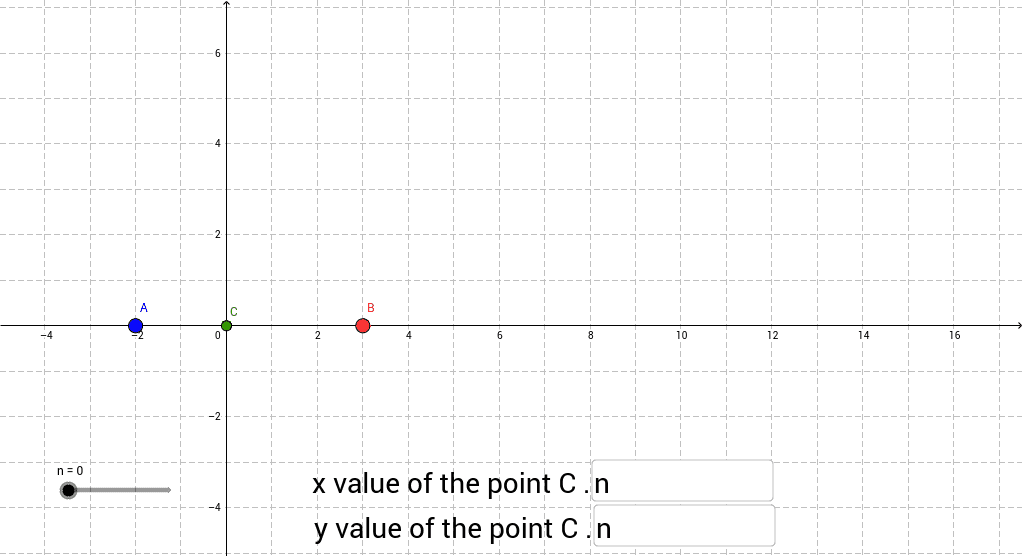
This example demonstrates how to use a slider to dynamically move a point between two fixed points A and B by adjusting coordinate definitions. It involves core concepts from coordinate geometry, parameterized point movement, and the use of conditional commands in GeoGebra. Construction employs Textfield and If commands along with objects A, B, input boxes, and point C to parameterize the point's position. Suitable for middle and high school mathematics education, it helps students visualize parameterized motion, coordinate transformations, and the relationship between algebraic definitions and geometric loci.
GeoGebra Commands & Parameters
Textfield(a) → inputBox1Textfield(b) → inputBox2If(b > 0, 0 * n + b, b) → c
AI Drawing Prompt Reference
Draw a graph with two fixed points A and B, and a movable point C. The position of point C is controlled by a slider. First, draw points A and B, then create a slider to adjust the coordinates of point C, and ensure that point C remains between A and B.
The prompt above was compiled from the original drawing commands and is for reference only.