
Sine Law Fishing Rod: Dynamic Triangle Exploration
Loading the math board and drawing, please wait…
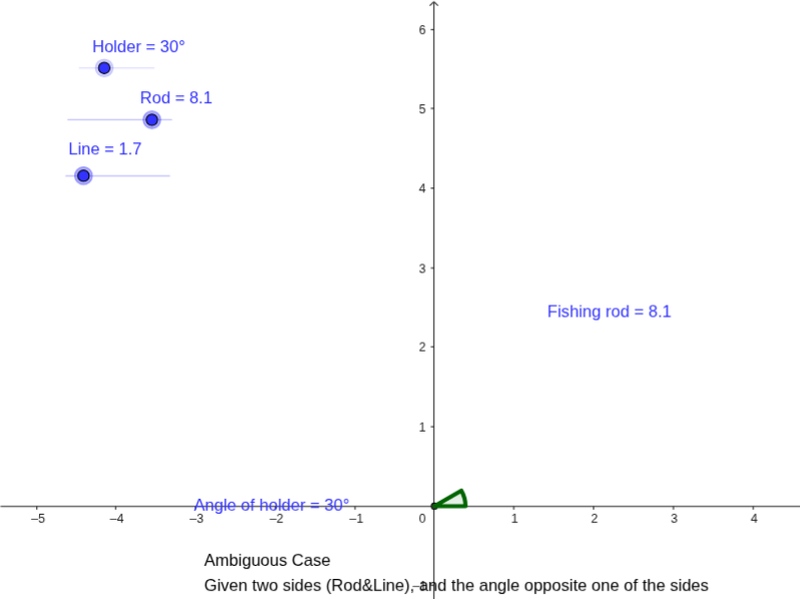
This GeoGebra worksheet demonstrates a dynamic fishing-rod model used to investigate triangles solvable by the Law of Sines. The core mathematical concepts include the Law of Sines, the relationship between sides and opposite angles in a triangle, circle-line and circle-ray intersections, angle measurement (α, β, γ), and the ambiguous case of triangle solutions (one, two, or no solutions). Construction-wise, the example employs GeoGebra commands such as Intersect, Circle, Point, Ray, Rotate, Angle, Segment, and Corner, producing objects like Rod, Holder, circle c, points B₁, B′, A′, A, and various lines and segments. By dragging free points and rotating elements, users can visually explore how changing side lengths and angles affects triangle existence and congruence. It is suitable for high school mathematics (trigonometry units) as a classroom demonstration or student-centered inquiry activity to deepen geometric and trigonometric understanding.
GeoGebra Commands & Parameters
Intersect(xAxis, yAxis) → TCircle(T, Rod) → cPoint(xAxis) → B_1Ray(T, B_1) → dRotate(B_1, Holder, T) → B'Angle(B_1, T, B') → αSegment(B', T) → eIntersect(c, e, 1) → CCircle(C, Line) → fIntersect(f, d, 1) → A'Intersect(f, d, 2) → ASegment(C, A') → gSegment(C, A) → h_1Segment(T, A') → iSegment(T, A) → jSegment(C, T) → kAngle(C, A', T) → βAngle(C, A, T) → γSegment(C, D) → HCorner(pic1, 3) → BPoint(f) → FreeLineSegment(FreeLine, C) → danglingLineAngle(T, C, FreeLine) → ε
AI Drawing Prompt Reference
Draw a dynamic sine law fishing rod model: start with a ray from the origin representing the rod, draw a circle centered at the origin with radius equal to the rod length, pick a free point B1 on the ray, rotate B1 about the origin by a given holder angle to get B', connect B' to the origin, intersect this segment with the circle to obtain point C, draw a circle centered at C tangent to the ray, let this circle intersect the ray at two points A' and A, connect C to A' and A and also connect the origin to A' and A, forming two possible triangles, and label the angles α, β, γ and an auxiliary angle ε.
The prompt above was compiled from the original drawing commands and is for reference only.