
Sine Law Exploration by Rachel Hendriksen
Loading the math board and drawing, please wait…
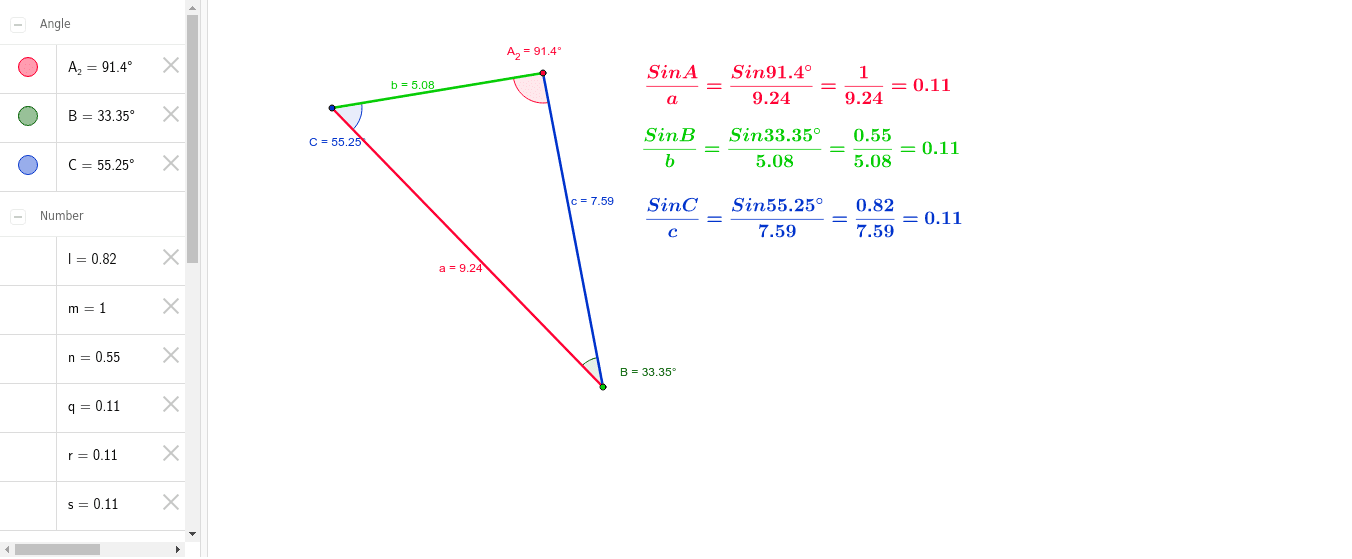
This example dynamically demonstrates the sine law in a triangle, helping students understand its application under different conditions. Key mathematical concepts include trigonometric functions and the relationship between the sides and angles of a triangle. Using GeoGebra commands such as Segment, Angle, and Textfield, students can observe and adjust the sides and angles of a triangle to verify the sine law. Suitable for high school mathematics education and learning.
GeoGebra Commands & Parameters
Segment(A_1, B_1) → cSegment(B_1, C_1) → aSegment(C_1, A_1) → bAngle(B_1, C_1, A_1) → CAngle(C_1, A_1, B_1) → A_2Angle(A_1, B_1, C_1) → BTextfield() → InputBox1Textfield() → InputBox2Textfield(a) → SideTextfield(A_2) → AngleTextfield(A_2) → InputBox3Textfield(a) → InputBox4