
Sine, Cosine, and Tangent
Loading the math board and drawing, please wait…
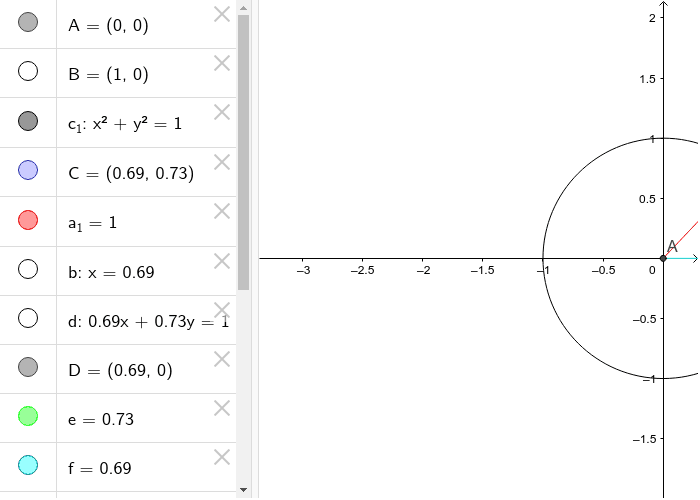
This example demonstrates the graphs of sine, cosine, and tangent functions. It involves core concepts of trigonometry, showing the properties of these functions by constructing points on a circle and their tangents. Commands used include Intersect, Circle, Point, Segment, OrthogonalLine, and Tangent. Suitable for high school mathematics education and students learning trigonometric functions.
GeoGebra Commands & Parameters
Intersect(xAxis, yAxis) → ACircle(A, B) → c_1Point(c_1) → CSegment(A, C) → a_1OrthogonalLine(C, xAxis) → bTangent(C, c_1) → d,Intersect(b, xAxis) → DSegment(C, D) → eSegment(D, A) → fIntersect(d, xAxis) → ESegment(C, E) → g
AI Drawing Prompt Reference
Draw a unit circle centered at the origin, then take a point C on the circle, draw a line segment from the origin to point C, construct a perpendicular line from point C to the x-axis, then construct a tangent line at point C, find the intersection of the tangent line with the x-axis as point D, draw a line segment from point C to point D, then draw a line segment from point D to the origin, finally construct the intersection of the tangent line with the x-axis as point E, and draw a line segment from point C to point E.
The prompt above was compiled from the original drawing commands and is for reference only.