
Sierpinski Triangle Demonstration in GeoGebra
Loading the math board and drawing, please wait…
In collections
Fractals
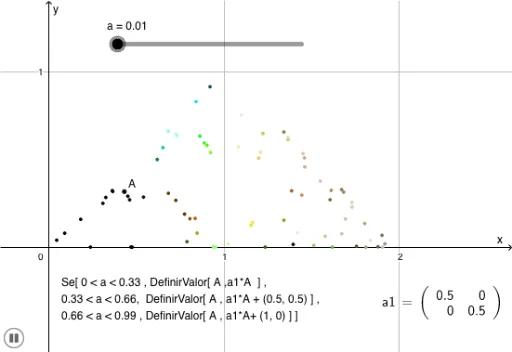
This example demonstrates the generation of the Sierpinski triangle. It involves key concepts in fractal geometry. Using GeoGebra's slider animation commands, the iterative process of the triangle is dynamically shown. This example is suitable for high school mathematics education, particularly in geometry and fractal geometry.
GeoGebra Commands & Parameters
LaTeX(a1, true, true) → texto2
AI Drawing Prompt Reference
Draw a Sierpinski triangle, a fractal formed by iterative subdivision. Start with a large equilateral triangle, connect the midpoints of its sides to divide it into four congruent smaller triangles, and remove the central one, keeping the three corner triangles. Repeat this process on each remaining triangle to create increasingly smaller triangular patterns. Include a slider to control the number of iterations, so that as the slider moves, the figure dynamically shows the progression from the initial triangle to a multi-level hollow structure. The overall composition should be clear, emphasizing the self-similarity of the fractal.
The prompt above was compiled from the original drawing commands and is for reference only.