
Selective Polygons
Loading the math board and drawing, please wait…
In collections
Regular Polygons
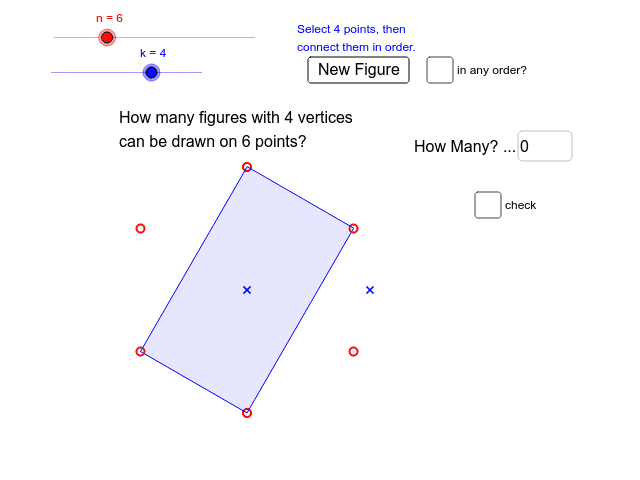
This example demonstrates inscribing polygons on a subset. It involves combinatorics and geometric construction. Using GeoGebra commands such as Point, Circle, Sequence, Sort, and Polygon, various polygons can be constructed. Suitable for high school mathematics education and learning.
GeoGebra Commands & Parameters
Point(y = y(A)) → BCircle(A, B) → cSequence(Rotate[B, ((i / n * 360) + 180 / n)°, A], i, 1, n) → list1Sequence((i / n * 360) + 180 / n, i, 1, n) → list1numSort(Take[Shuffle[list1num], 1, k]) → list1subSequence(Rotate[B, Element[list1sub, i]°, A], i, 1, k) → list1polyPolygon(list1poly) → poly1, , , ,Textfield(guess) → inputBox1If(b ∧ (k > 2), ((n! / ((k! * (n - k)!)) * 0.5) * (k - 1)!), n! / ((k! * (n - k)!))) → ansShuffle(list1poly) → list1poly2Polygon(list1poly2) → poly2, , , ,
AI Drawing Prompt Reference
Draw a regular polygon inside a circle based on a given number n, then randomly select k vertices from it. Create circles centered at these vertices, rotate them by specific angles, and finally connect these circles to form a new polygon.
The prompt above was compiled from the original drawing commands and is for reference only.