
Selecting Systems of Linear Equations
Loading the math board and drawing, please wait…
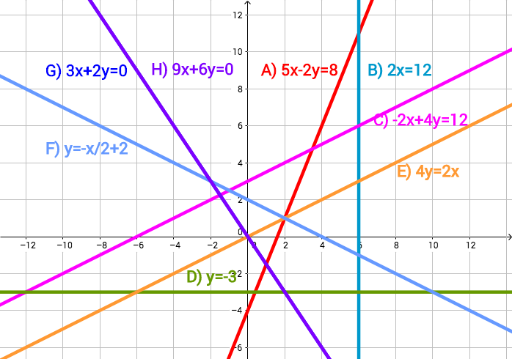
This example demonstrates how to select and visualize different systems of linear equations using GeoGebra. It involves core mathematical concepts such as linear equations, coordinate geometry, and the geometric interpretation of solutions to systems of equations. Key GeoGebra commands/objects used include a, b, c, d, e, f, g, h, text1, text2, text3, text4, text5, text6, text7, text8 for equation representation, graph drawing, and text labeling. Suitable for high school mathematics education to understand the representation and geometric meaning of systems of linear equations.
GeoGebra Commands & Parameters
(5 * x) - (2 * y) = 8(2 * x) = 12(-2 * x) + (4 * y) = 12y = -3(4 * y) = (2 * x)y = (-1 / 2 * x) + 2(3 * x) + (2 * y) = 0(9 * x) + (6 * y) = 0