
Sector Area with Inscribed and Circumscribed Squares
Loading the math board and drawing, please wait…
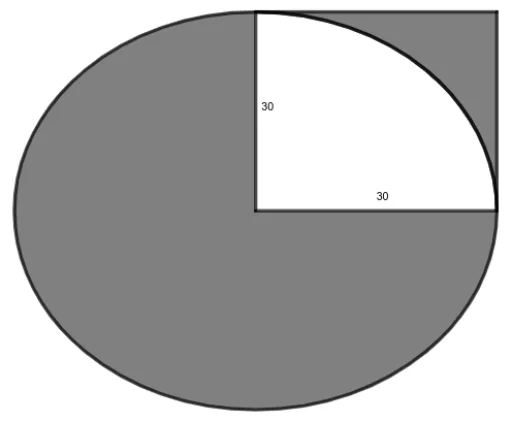
This example demonstrates the relationship between the area of a sector and the areas of an inscribed and a circumscribed square. Key mathematical concepts include the calculation of sector area, the properties of inscribed and circumscribed squares, and related geometric transformations. Using GeoGebra commands such as Circle, Polygon, CircleSector, and CircleArc, one can observe the area relationships between the different squares and the sector. Suitable for students at the junior high school level and above, focusing on geometric transformations and area calculations.
GeoGebra Commands & Parameters
Circle(A, B) → cPolygon(A, E, C, B) → q1, a, e, c_1, bCircleSector(A, E, B) → dCircleArc(A, E, B) → fTextfield(r) → InputBox1Circle(A, B) → g
AI Drawing Prompt Reference
Draw a sector with a center point and a radius extending to a point on the circle. Inside the sector, construct an inscribed square whose vertices lie on the center, the two radius endpoints, and a point on the arc. Outside the sector, construct a circumscribed square with one side along one radius and its opposite side parallel to the other radius. Use distinct colors or fills to differentiate the sector, the inscribed square, and the circumscribed square, and label their areas. Finally, include an input box to adjust the radius length, allowing dynamic observation of area changes.
The prompt above was compiled from the original drawing commands and is for reference only.