
Scale Factor and Total Surface Area of a Cylinder
Loading the math board and drawing, please wait…
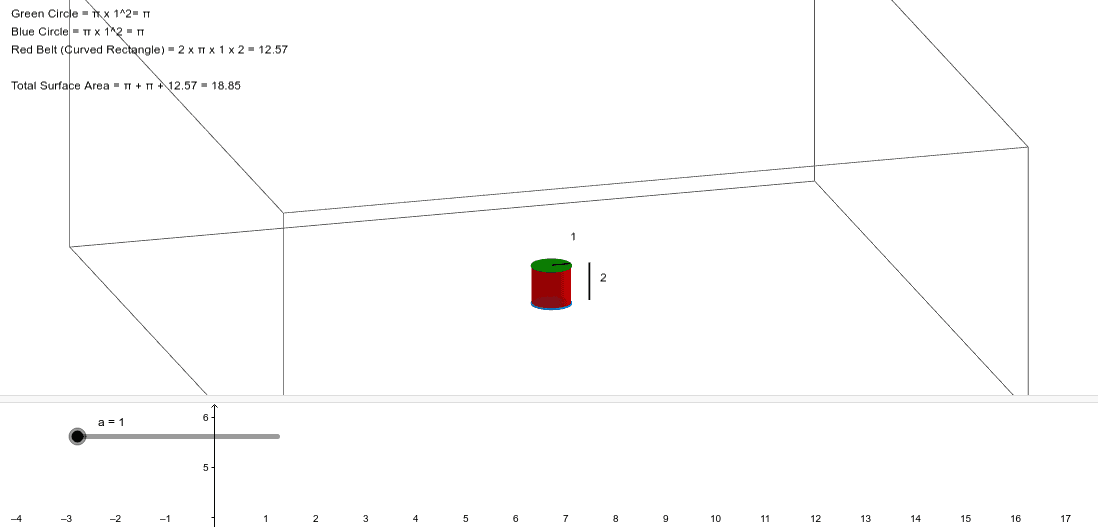
① This example dynamically demonstrates how the total surface area (TSA) of a cylinder changes when its scale factor is adjusted. ② Core mathematical concepts include the surface area formula for a cylinder in solid geometry, properties of similar figures under scaling, and the quadratic relationship between linear scale factor and area. ③ Construction details: The GeoGebra commands Cylinder and Segment are used to create the cylinder and its defining segments (radius and height), with objects a, A, B, b, c, d, e, f, C, g, h, i, j, and text1 serving for measurements, labels, and calculations. ④ Suitable for middle or high school geometry classes or self-study, this interactive tool helps learners visualize how scaling affects surface area, reinforcing spatial reasoning and algebraic connections.
GeoGebra Commands & Parameters
Cylinder(A, B, a) → b, c, d, eSegment((a + 1, 0, 0), (a + 1, 0, (2 * a))) → fSegment(B, C) → g
AI Drawing Prompt Reference
Draw a cylinder with its base center at the origin, base radius adjustable by a slider, and height equal to twice the radius. Show the cylinder with two circular bases and a lateral surface. Include a radius segment from the base center to the edge, and a vertical segment along the side from the base edge to the top edge. Also draw a separate vertical segment whose length is twice the cylinder's height, representing the scale factor effect. Add a slider to adjust the scale factor, and display the total surface area value that updates dynamically.
The prompt above was compiled from the original drawing commands and is for reference only.