
Rule Surface vs Spline Second Grade
Loading the math board and drawing, please wait…
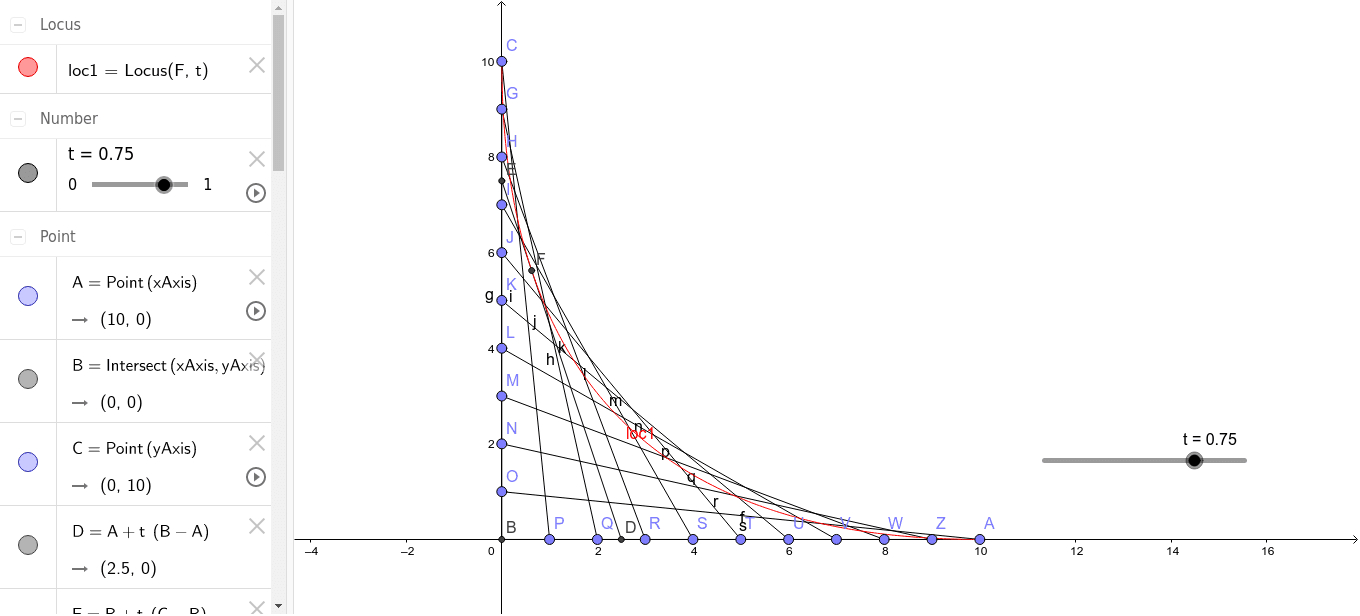
This example demonstrates the geometric comparison between rule surfaces and second-grade spline surfaces. It involves core mathematical concepts such as surface, geometry, natural numbers, geometric distribution, random variables, and cones. The construction utilizes GeoGebra commands/objects like Point, Intersect, Segment, and Locus. Suitable for high school and above learners to understand the construction and properties of different surface types.
GeoGebra Commands & Parameters
Point(xAxis) → AIntersect(xAxis, yAxis) → BPoint(yAxis) → CSegment(A, B) → fSegment(C, B) → gSegment(E, D) → hLocus(F, t) → loc1Point(g) → GPoint(g) → HPoint(g) → IPoint(g) → JPoint(g) → KPoint(g) → LPoint(g) → MPoint(g) → NPoint(g) → OPoint(f) → PPoint(f) → QPoint(f) → RPoint(f) → SPoint(f) → TPoint(f) → UPoint(f) → VPoint(f) → WPoint(f) → ZSegment(C, P) → iSegment(G, Q) → jSegment(H, R) → kSegment(I, S) → lSegment(J, T) → mSegment(K, U) → nSegment(L, V) → pSegment(M, W) → qSegment(N, Z) → rSegment(O, A) → s
AI Drawing Prompt Reference
Draw a coordinate system with points on the x and y axes. Connect these points to form a line segment. Then take multiple points on the y-axis and connect each of them to both ends of the line segment to illustrate the comparison between different types of surfaces.
The prompt above was compiled from the original drawing commands and is for reference only.