
Rotation Station: Exploring Rotation Transformations and Center Effects
Loading the math board and drawing, please wait…
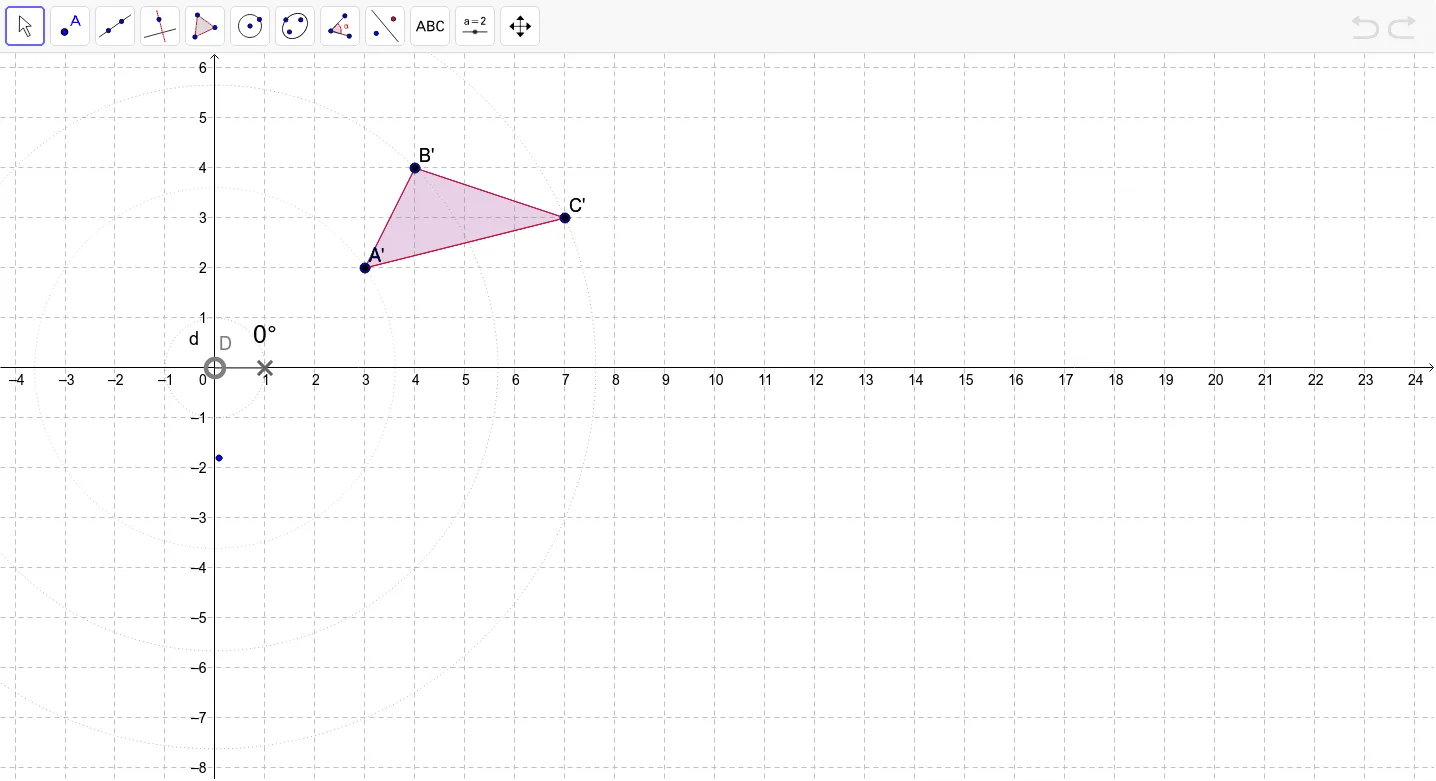
This interactive GeoGebra example demonstrates the rotation transformation of plane figures, focusing on how the position and orientation of the rotated image change when the center of rotation is placed inside, outside, or on the boundary of the original shape. Key mathematical concepts include rotation angle, center of rotation, locus of corresponding points, and rotational invariance (congruence). Construction details: using GeoGebra commands such as Polygon, Circle, Point, CircleSector, Angle, Rotate, and CircleArc, the example builds a polygon, circle, sector, and their rotated copies, with sliders or dynamic points controlling the angle and center to animate the motion of primed points like A', B', C'. Suitable for middle school to high school students learning geometric transformations, and useful for classroom demonstrations or self-guided exploration of rotation properties.
GeoGebra Commands & Parameters
Polygon(A, B, C) → poly1, c, a, bCircle(D, 1) → dPoint(d) → FCircleSector(D, E, F) → eAngle(E, D, F) → αRotate(A, α, D) → A'Rotate(B, α, D) → B'Rotate(C, α, D) → C'Polygon(A', B', C') → poly1', c', a', b'CircleArc(D, A, A') → fCircleArc(D, B, B') → gCircleArc(D, C, C') → hCircle(D, A) → kCircle(D, B) → pCircle(D, C) → q
AI Drawing Prompt Reference
Draw a triangle. Construct a unit circle centered at one of its vertices, and place a point on the circle. Form a sector using the center, a fixed point, and this point, with the sector angle as the rotation angle. Rotate the entire triangle about the center by this angle to get the rotated triangle. Connect corresponding vertices of the original and rotated triangles with three arcs, and draw three circles centered at the rotation center with radii equal to the distances to the original triangle's vertices.
The prompt above was compiled from the original drawing commands and is for reference only.