
Rotation Logo X
Loading the math board and drawing, please wait…
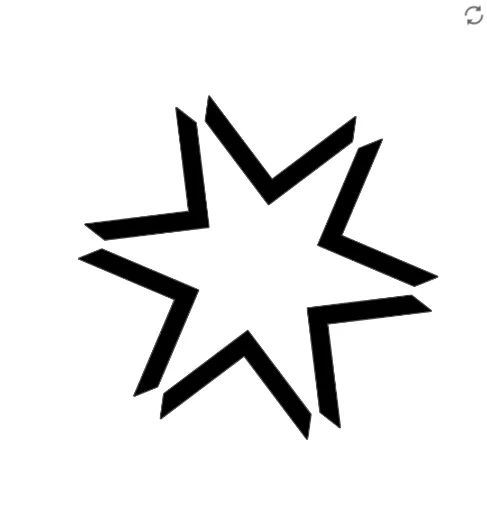
This example demonstrates the construction of a rotating logo. Key mathematical concepts include rotation, ellipse, and trigonometric functions. Using GeoGebra commands such as Polygon, Intersect, Vector, Rotate, Translate, and Sequence, a dynamic rotating logo can be constructed. Suitable for high school mathematics education, particularly in coordinate geometry and transformation.
GeoGebra Commands & Parameters
Polygon(K, L, M, N, O, P, Q, R) → polígono1, k, l, m, n, o, p, q, rIntersect(xAxis, yAxis) → CVector(C, D) → uRotate(K, individual, Q) → K'Rotate(L, individual, Q) → L'Rotate(M, individual, Q) → M'Rotate(N, individual, Q) → N'Rotate(O, individual, Q) → O'Rotate(P, individual, Q) → P'Rotate(Q, individual, Q) → Q'Rotate(R, individual, Q) → R'Polygon(K', L', M', N', O', P', Q', R') → polígono2, k', l', m', n', o', p', q', r'Translate(K', u) → K''Translate(L', u) → L''Translate(M', u) → M''Translate(N', u) → N''Translate(O', u) → O''Translate(P', u) → P''Translate(Q', u) → Q''Translate(R', u) → R''Polygon(K'', L'', M'', N'', O'', P'', Q'', R'') → polígono3, k'', l'', m'', n'', o'', p'', q'', r''Sequence(Polygon[Rotate[K'', ((i * 360) * ° / número)], Rotate[L'', ((i * 360) * ° / número)], Rotate[M'', ((i * 360) * ° / número)], Rotate[N'', ((i * 360) * ° / número)], Rotate[O'', ((i * 360) * ° / número)], Rotate[P'', ((i * 360) * ° / número)], Rotate[Q'', ((i * 360) * ° / número)], Rotate[R'', ((i * 360) * ° / número)]], i, 1, número) → lista_1