
Rotation and Rotation
Loading the math board and drawing, please wait…
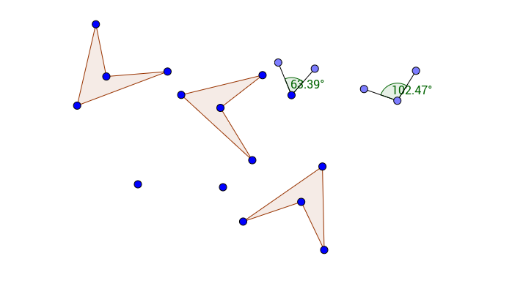
This example demonstrates the process of two rotations. It involves key mathematical concepts such as rotation, locus, and geometric construction. Using GeoGebra commands like Polygon, Circle, Point, Segment, Angle, and Rotate, the dynamic changes of points and figures during the rotation process can be observed. Suitable for students at the junior high school level and above to learn about geometric transformations and loci.
GeoGebra Commands & Parameters
Polygon(A, B, C, D) → poly1, a, b, c, dCircle(G, H) → ePoint(e) → ICircle(I, G) → fPoint(f) → JCircle(J, I) → gPoint(g) → KCircle(K, J) → hPoint(e) → LSegment(L, G) → iPoint(e) → MSegment(G, M) → jPoint(h) → NSegment(N, K) → kPoint(h) → OSegment(K, O) → lAngle(M, G, L) → αAngle(O, K, N) → βRotate(A, (-α), E) → A'Rotate(B, (-α), E) → B'Rotate(C, (-α), E) → C'Rotate(D, (-α), E) → D'Polygon(A', B', C', D') → poly1', a', b', c', d'Rotate(A', (-β), F) → A''Rotate(B', (-β), F) → B''Rotate(C', (-β), F) → C''Rotate(D', (-β), F) → D''Polygon(A'', B'', C'', D'') → poly1'', a'', b'', c'', d''
AI Drawing Prompt Reference
Draw a quadrilateral and a circle centered at one of its vertices. Then draw a second circle centered at the intersection of the first circle and the center, and repeat this process to create three circles. Mark the intersection points of each circle with its center and connect them to form a quadrilateral. Next, rotate the quadrilateral twice by half the angle at each vertex, reconnecting the vertices after each rotation to form new quadrilaterals. Finally, display the quadrilaterals after each rotation to show the transformation process.
The prompt above was compiled from the original drawing commands and is for reference only.