
Rotation about a Point: Dynamic Transformation of Polygons and Curves
Loading the math board and drawing, please wait…
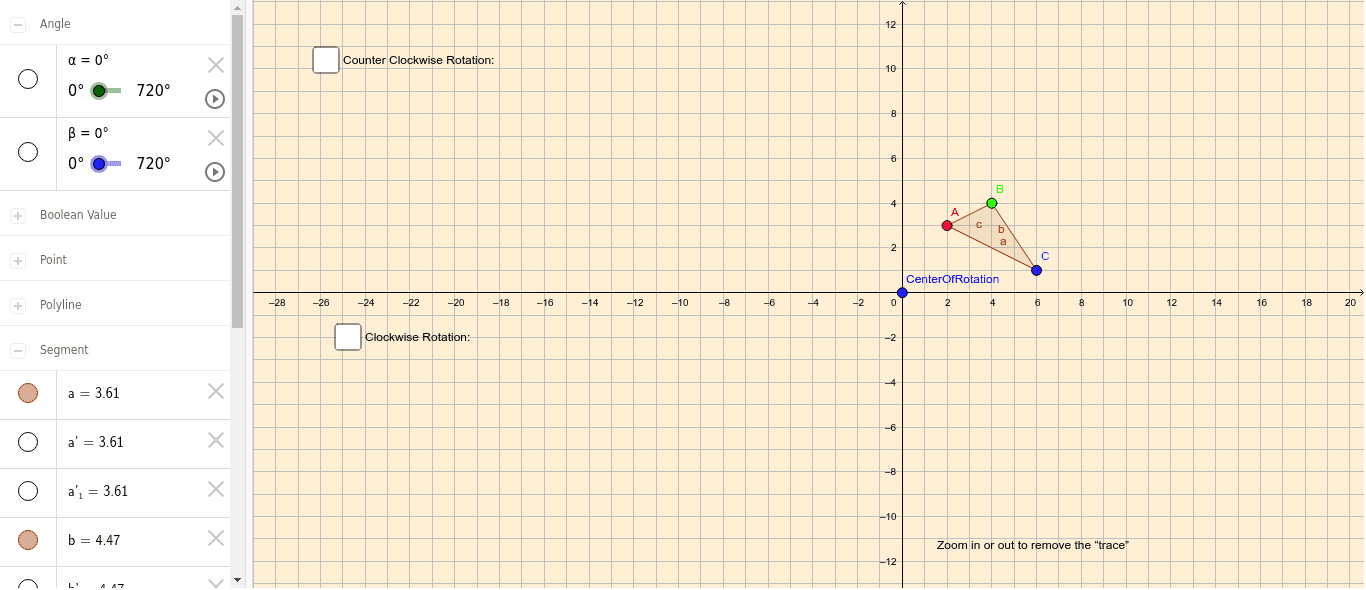
This example demonstrates the geometric transformation of rotating a polygon and its edges (including curves) around a specified center point. The core mathematical concept is planar rotation, involving the center of rotation, rotation angle, and the correspondence between original and rotated figures. Construction highlights: using GeoGebra's Polygon command to create the initial polygon poly1, applying the Rotate command to rotate the polygon, edges, and curves, generating rotated objects (e.g., poly1', c'), controlling the rotation angle via sliders or parameters α and β, and displaying the rotation center and corresponding points (A', B', etc.). This example is suitable for middle school geometry teaching, helping students intuitively understand properties of rotation such as equal distances from the center and figure congruence, and can also be used to explore connections with area, piecewise functions, and other concepts.
GeoGebra Commands & Parameters
Polygon(A, B, C) → poly1, c, a, bRotate(A, α, CenterOfRotation) → A'Rotate(B, α, CenterOfRotation) → B'Rotate(C, α, CenterOfRotation) → C'Polygon(A', B', C') → poly1', c', a', b'Rotate(A, (-β), CenterOfRotation) → A'_1Rotate(B, (-β), CenterOfRotation) → B'_1Rotate(C, (-β), CenterOfRotation) → C'_1Polygon(A'_1, B'_1, C'_1) → poly1'_1, c'_1, a'_1, b'_1
AI Drawing Prompt Reference
Draw a triangle ABC and rotate it around a center point to generate the rotated triangle A'B'C'. Then, rotate the triangle A'B'C' with the opposite angle to generate the second rotated triangle A'_1B'_1C'_1. Make sure to show the rotation center and corresponding points.
The prompt above was compiled from the original drawing commands and is for reference only.