
Rotating Solid Volume Calculation
Loading the math board and drawing, please wait…
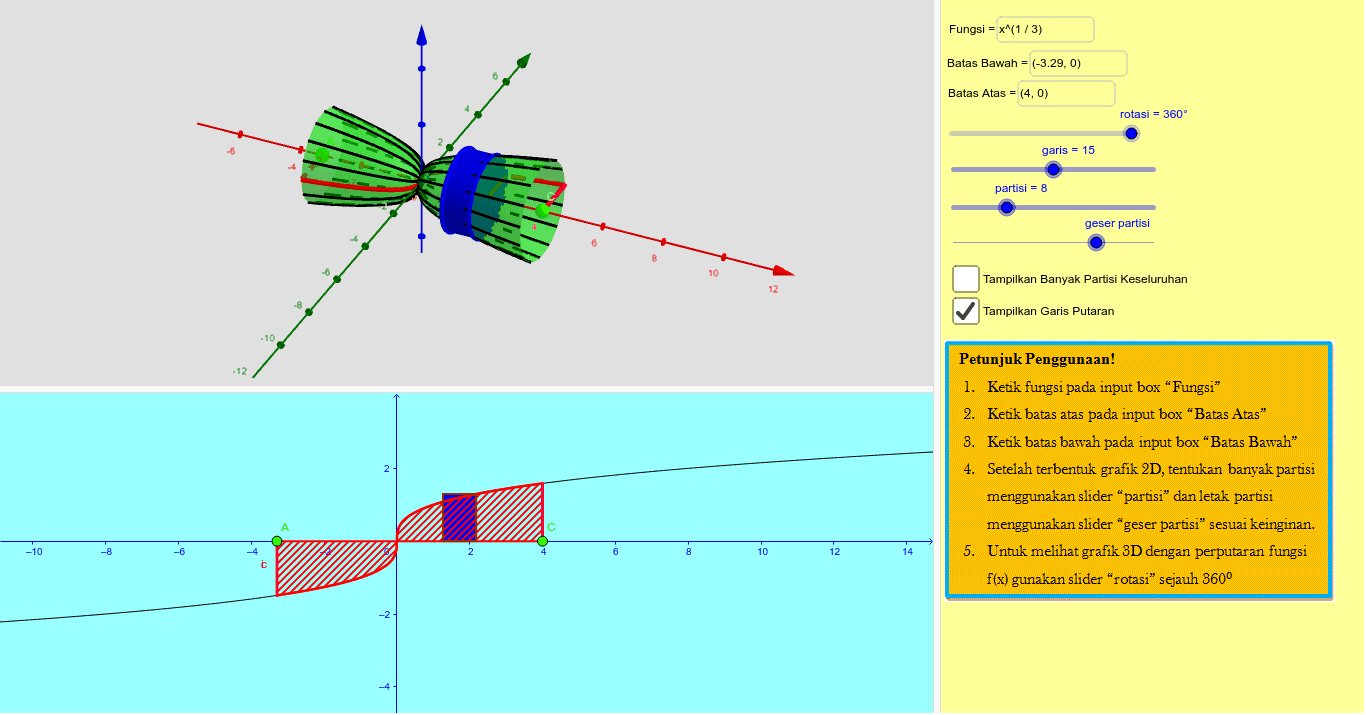
This example demonstrates the calculation of the volume of a solid of revolution around the X-axis. Core mathematical concepts include solid of revolution volume, integral calculation, function graphing, and geometric transformations. The construction utilizes GeoGebra commands such as Point, Textfield, Segment, CircumcircleArc, Rotate, Sequence, Cylinder, Polygon, Integral, and Surface. Suitable for high school and above students to understand the calculation methods of rotating solid volumes and the application of integrals.
GeoGebra Commands & Parameters
Point(xAxis) → APoint(xAxis) → CTextfield(f) → inputBox1Textfield(A) → inputBox2Textfield(C) → inputBox3Textfield(C) → inputBox4Textfield(C) → inputBox5Segment(A, (x(A), f(x(A)))) → cSegment(C, (x(C), f(x(C)))) → aCircumcircleArc((x(A), f(x(A)), 0), (x(A), (f(x(A)) * cos(rotasi / 2)), (f(x(A)) * sin(rotasi / 2))), (x(A), (f(x(A)) * cos(rotasi)), (f(x(A)) * sin(rotasi)))) → dCircumcircleArc((x(C), f(x(C)), 0), (x(C), (f(x(C)) * cos(rotasi / 2)), (f(x(C)) * sin(rotasi / 2))), (x(C), (f(x(C)) * cos(rotasi)), (f(x(C)) * sin(rotasi)))) → eSegment(C, (x(C), (f(x(C)) * cos(rotasi)), (f(x(C)) * sin(rotasi)))) → bSegment(A, (x(A), (f(x(A)) * cos(rotasi)), (f(x(A)) * sin(rotasi)))) → iRotate(g, rotasi, xAxis) → g_1Textfield(rotasi) → inputBox6Sequence(Rotate[g, b, xAxis], b, 0, rotasi, rotasi / garis) → list2Sequence(CircumcircleArc[(b, f(b), 0), (b, (f(b) * cos(rotasi / 2)), (f(b) * sin(rotasi / 2))), (b, (f(b) * cos(rotasi)), (f(b) * sin(rotasi)))], b, x(A), x(C), (x(C) - x(A)) / partisi) → list1Cylinder((x(B), 0, 0), (x(B) + h, 0, 0), f(x(B) + h)) → v, r, c_1, oPolygon((x(B), 0), (x(B) + (x(C) - x(A)) / partisi, 0), (x(B) + (x(C) - x(A)) / partisi, f(x(B) + h)), (x(B), f(x(B) + h))) → poly2, q, s, t, a_1Integral(f, x(A), x(C)) → lSequence(Cylinder[(x(A) + (i * h), 0, 0), (x(A) + ((i + 1) * h), 0, 0), f(x(A + h) + (h * i))], i, 0, partisi - 1) → list3Surface(a, (f(a) * cos(b)), (f(a) * sin(b)), a, x(A), x(C), b, 0, rotasi) → k
AI Drawing Prompt Reference
Draw a solid of revolution formed by rotating a function around the X-axis to demonstrate volume calculation. Start by plotting two points on the X-axis and the function curve, then connect these points to the function to form line segments. Next, draw two circular arcs based on these segments to simulate the rotation. Rotate these shapes to create a series of arcs and segments, representing the side surface of the solid. Finally, combine these elements to visualize the 3D surface of the solid, labeling the integral area and formula to illustrate the volume calculation process.
The prompt above was compiled from the original drawing commands and is for reference only.