
Rotating Polygons by Patrick Clément
Loading the math board and drawing, please wait…
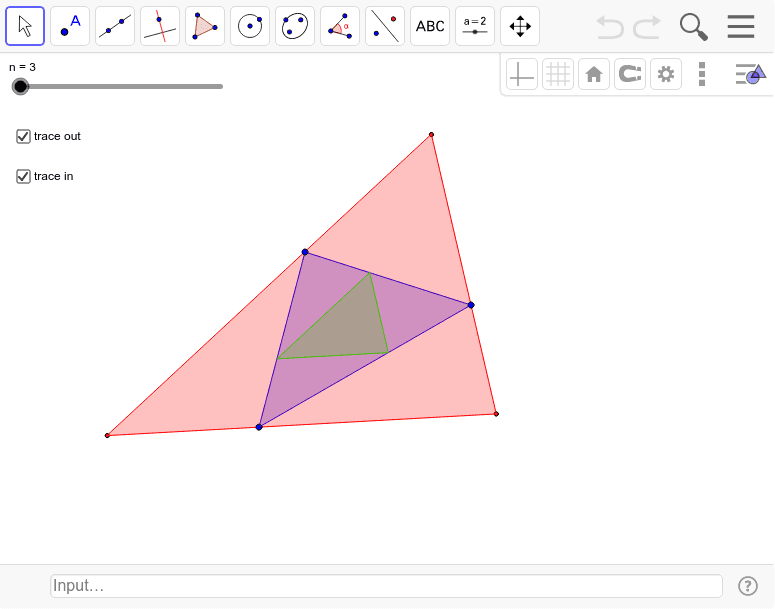
This example demonstrates the rotation of polygons on a plane. It involves rotation transformations, matrices, and geometric construction of polygons. By using the Sequence command to generate a series of rotated polygons, one can observe the changes in the polygons at different angles. Suitable for high school mathematics education and learning.
GeoGebra Commands & Parameters
Append(First[{A, B, C, D, E, F, G, H, I, J, K, L}, n], A) → PSequence(Segment[Element[P, i], Element[P, i + 1]], i, 1, n) → segAppend(Sequence[Point[Element[seg, i], p], i, 1, n], Point[Element[seg, 1], p]) → PinSequence(Segment[Element[Pin, i], Element[Pin, i + 1]], i, 1, n) → seginAppend(Sequence[Line[Element[P, i + 1], Element[segin, i]], i, 1, n], Line[Element[P, 2], Element[segin, 1]]) → dteSequence(Intersect[Element[dte, i], Element[dte, i + 1]], i, 1, n) → PoutPolygon(P) → poly1, , , ,Polygon(Pin) → poly2, , , ,Polygon(Pout) → poly3, , ,
AI Drawing Prompt Reference
Draw a polygon with multiple vertices, then rotate this polygon around a central point to observe how the rotated polygons change. First, draw the original polygon, then generate a series of rotated polygons, and finally draw a polygon based on the intersection points of the rotated polygons.
The prompt above was compiled from the original drawing commands and is for reference only.