
Right Angle Triangle Construction and Angle Relationships
Loading the math board and drawing, please wait…
In collections
Area of Polygons
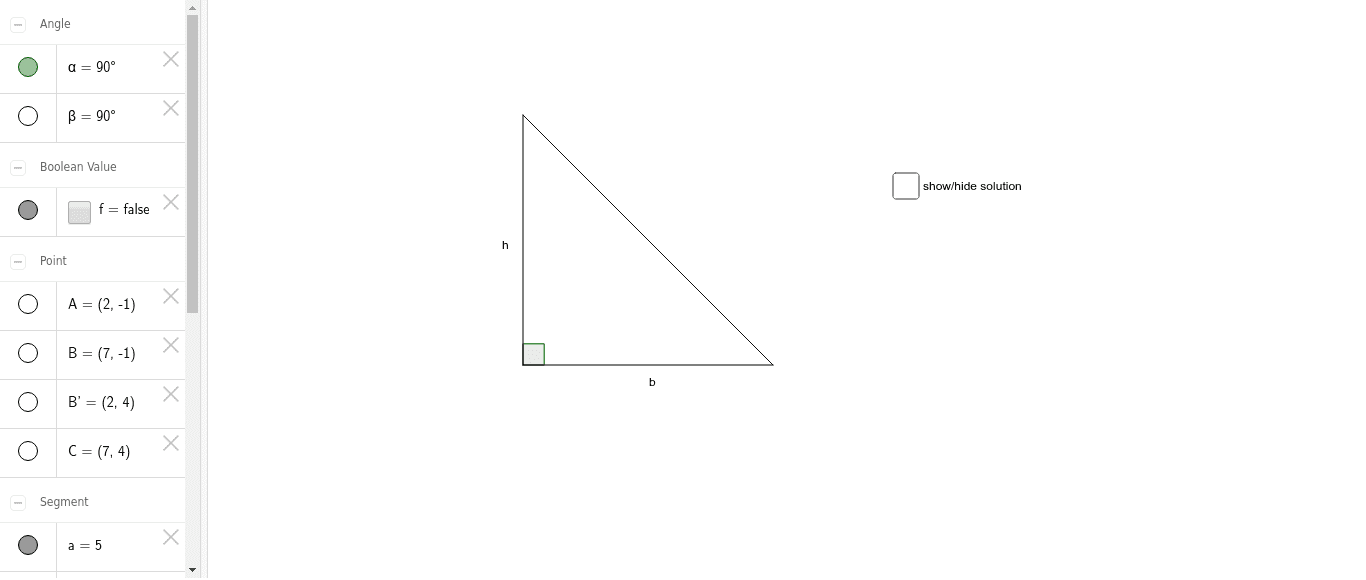
① This GeoGebra example dynamically constructs a right-angled triangle, visually demonstrating the right angle and the relationships between the acute angles and sides. ② Core mathematical concepts include properties of right triangles, angle sum (180°), side-angle correspondence, and geometric transformations such as rotation. ③ Construction details: uses Segment to create sides, Rotate to generate the right angle, and Angle to mark angles; objects include points A, B, C, segments a, b, c, rotated point B', angles α and β, and text labels. ④ Suitable for middle school geometry teaching to understand right triangle definitions, angle measurement, and dynamic construction methods, also serving as an introductory GeoGebra example.
GeoGebra Commands & Parameters
Segment(A, B) → aRotate(B, 90*°, A) → B'Angle(B, A, B') → αSegment(B', A) → bSegment(B', B) → cSegment(B', C) → dSegment(C, B) → eAngle(B', C, B) → β
AI Drawing Prompt Reference
Draw a right triangle ABC with AB as one of the legs, BC as the hypotenuse, and AC as the other leg. Rotate point B 90 degrees to get point B', and construct the right angle ∠BAB' marked as α. Connect B' to A and B' to C to form the other two sides of the right triangle, marked as b and c. Finally, construct ∠CB'B and mark it as β.
The prompt above was compiled from the original drawing commands and is for reference only.