
Rhombus Construction by aidan.tomlinson
Loading the math board and drawing, please wait…
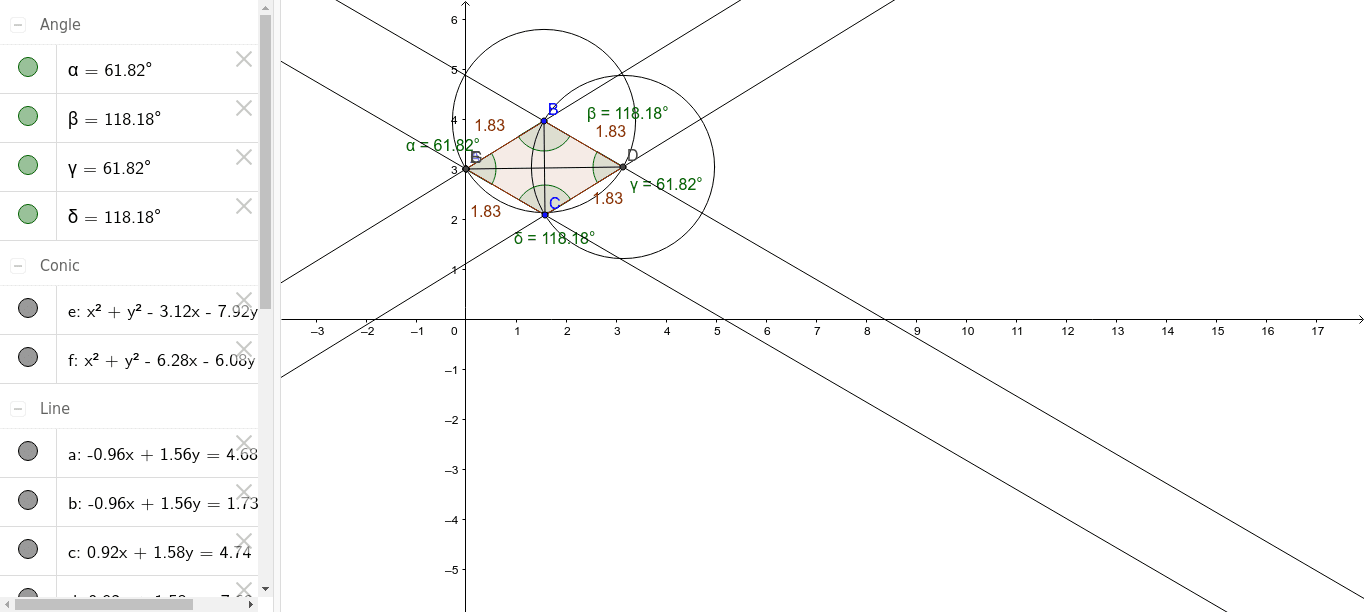
This example demonstrates the construction of a rhombus. Key mathematical concepts include polygons, angles, circles, and segments. Using GeoGebra commands such as Point, Line, Intersect, and Polygon, a rhombus can be constructed and its properties explored. Suitable for middle school and above students or teachers.
GeoGebra Commands & Parameters
Point(yAxis) → ALine(A, B) → aLine(C, a) → bLine(A, C) → cLine(B, c) → dIntersect(b, d) → DPolygon(A, C, D, B) → poly1, a_1, c_1, d_1, b_1Angle(C, A, B) → αAngle(A, B, D) → βAngle(B, D, C) → γAngle(D, C, A) → δCircle(B, b_1) → eCircle(D, c_1) → fSegment(B, C) → gSegment(D, A) → hIntersect(e, a_1, 1) → EIntersect(e, a_1, 1) → FIntersect(e, a_1, 1) → G
AI Drawing Prompt Reference
Start with a point on the y‑axis, draw a line through it and a second point, then through a third point draw a line parallel to the first, connect the first and third points, through the second point draw a line parallel to that segment, the two parallels intersect at a fourth point forming a rhombus; mark the four interior angles, draw circles centered at two adjacent vertices with radii equal to the adjacent sides, draw the two diagonals as segments, and indicate the intersections of one circle with one side.
The prompt above was compiled from the original drawing commands and is for reference only.