
Representing Fractions on a Number Line - Level 1
Loading the math board and drawing, please wait…
In collections
Zahlenstrahl und Ordnen von Brüchen
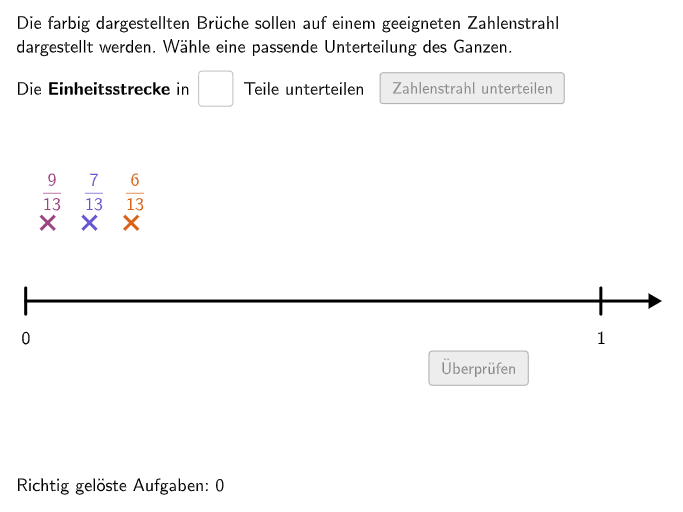
This GeoGebra example demonstrates how to represent fractions on a number line through an interactive exercise, helping students understand the position of fractions as points on the number line. The core mathematical concepts include the meaning of fractions, the correspondence between fractions and points on a number line, and interpreting fractions as relative parts of a whole. Construction highlights: the applet uses commands such as Shuffle, If, Distance, Circle, Polygon, Union, Sequence, IsInRegion, Element, Segment, Textfield, and Text to build the number line, fraction point markers, and interactive regions; random fraction tasks are generated via Shuffle, and input fields with feedback are provided. Suitable for grades 5-6 as an introductory practice for placing fractions on a number line, useful for classroom demonstration or self-study, emphasizing one-to-one mapping and visual comparison of fraction sizes.
GeoGebra Commands & Parameters
Shuffle(Sequence[i, i, 2, 13]) → NennerListe, {13, 4, 8, 7, 5, 2, 6, 12, 9, 3, 11, 10}If(2 ≤ nenner ≤ 3, Random[2, 3], If[4 ≤ nenner ≤ 6, Random[1, 3], If[7 ≤ nenner ≤ 9, Random[1, 2], If[10 ≤ nenner ≤ 13, 1]]]) → maxganzeShuffle(Sequence[i, i, 1, (nenner * maxganze)]) → ZaehlerListe1, {9, 7, 6, 3, 4, 1, 8, 2, 11, 13, 5, 12, 10}Distance(StrahlEndPL, StrahlEndPR) → laengestrahlCircle(Bruch1Punkt, 0.2) → CircleFrac1Polygon(StrahlRegionE1, StrahlRegionE2, StrahlRegionE3, StrahlRegionE4) → StrahlRegion, strahlregione1, strahlregione2, strahlregione3, strahlregione4Circle(Bruch3Punkt, 0.2) → CircleFrac3Circle(Bruch2Punkt, 0.2) → CircleFrac2Union(Sequence[StrahlEndPL + ((laengestrahl / maxganze, 0) * i), i, 0, maxganze], Sequence[(10, (-1 * i)), i, 1, 15]) → UnterteilungenGanze_{1}Sequence(Element[UnterteilungenGanze_{1}, i + 1], i, 0, maxganze + 5) → GanzePunkteIf(nenner ∈ {2, 3, 4}, 2, 1) → minstrahlgrenzeIf(nenner ≟ 2, 5, If[nenner ≟ 3 ∨ nenner ≟ 4, 4, If[nenner ∈ {5, 6, 7}, 2, If[nenner ≟ 8 ∨ nenner ≟ 9, 1.5, 1.1]]]) → maxstrahlgrenzeIsInRegion(Bruch2Pos, CircleFrac2) → bruch2correctIsInRegion(Bruch3Pos, CircleFrac3) → bruch3correctPolygon(PtopLeftCornerFeedback, PtopRightCornerFeedback, PbottomRightCornerFeedback, PbottomLeftCornerFeedback) → rectangleCorrect, ptopleftcornerfeedback, ptoprightcornerfeedback, pbottomrightcornerfeedback, pbottomleftcornerfeedbackShuffle(Sequence[Random[0, 10], i, 1, 100]) → randomNosQuestion, {2, 0, 0, 4, 7, 2, 1, 5, 0, 9, 9, 9, 8, 8, 10, 10, 4, 2, 1, 3, 5, 8, 5, 4, 7, 5, 8, 6, 8, 5, 10, 0, 3, 7, 7, 9, 4, 0, 8, 10, 2, 10, 7, 2, 7, 0, 6, 8, 9, 1, 6, 7, 6, 9, 5, 6, 5, 7, 10, 6, 2, 9, 9, 10, 9, 1, 10, 4, 5, 0, 1, 4, 0, 5, 1, 8, 8, 6, 3, 7, 8, 4, 8, 2, 3, 7, 2, 4, 7, 4, 3, 0, 5, 4, 5, 10, 3, 6, 6, 4}Element(randomNosQuestion, Mod[questionCount, 100] + 1) → questionNumUnion(Sequence[StrahlEndPL + (unterteilungsvektor * i), i, 0, (unterteilungen * maxganze)], Sequence[(10, (-1 * i)), i, 1, 15]) → UnterteilungenPunkteSegment(StrahlEndPL, StrahlEndPInf) → ZahlenStrahlPolygon(VR1E1, VR1E2, VR1E3, VR1E4) → VR1, vr1e1, vr1e2, vr1e3, vr1e4Polygon(VR2E1, VR2E2, VR2E3, VR2E4) → VR2, vr2e1, vr2e2, vr2e3, vr2e4Polygon(VR3E1, VR3E2, VR3E3, VR3E4) → VR3, vr3e1, vr3e2, vr3e3, vr3e4Distance(Corner[SolText1, 1], Corner[SolText1, 2]) → BreiteSolText1Distance(Corner[SolText2, 1], Corner[SolText2, 2]) → BreiteSolText2Distance(Corner[SolText3, 1], Corner[SolText3, 2]) → BreiteSolText3Textfield(unterteilungeninput) → InputBoxUnterteilungenShuffle({1, 2}) → modus, {1, 2}Sequence(Segment[UnterteilungenPunkte(i) + (0, 0.15), UnterteilungenPunkte(i) + (0, -0.15)], i, 1, Length[UnterteilungenPunkte]) → UnterteilungenStreckenSequence(Segment[GanzePunkte(i) + (0, 0.25), GanzePunkte(i) + (0, -0.25)], i, 1, 5) → UnterteilungenGanzeText(FeedbackText, A, false, true, 0) → Text11Segment(Bruch3Punkt + (0, 1.6), Bruch3Punkt + (0, 0.5)) → SolStrecke3Segment(Bruch2Punkt + (0, 1.6), Bruch2Punkt + (0, 0.5)) → SolStrecke2Segment(Bruch1Punkt + (0, 1.6), Bruch1Punkt + (0, 0.5)) → SolStrecke1Union(Sequence[StrahlEndPL + (solunterteilungsvektor * i), i, 0, (nenner * maxganze)], Sequence[(10, (-1 * i)), i, 1, 15]) → UnterteilungenPunkteSolSequence(Segment[UnterteilungenPunkteSol(i) + (0, 0.15), UnterteilungenPunkteSol(i) + (0, -0.15)], i, 1, Length[UnterteilungenPunkteSol]) → UnterteilungenStreckenSol
AI Drawing Prompt Reference
Please draw a number line graph that helps visualize fractions. On the number line, mark fraction point markers with small circles to indicate the position of fractions. Divide the number line into intervals, represented by shaded regions of different colors, to show the relative size of fractions. Include random fraction tasks as input boxes with feedback areas that display correct or incorrect prompts. The construction order should be: first draw the number line, then add fraction point markers, then divide intervals and fill shaded regions, then add random fraction tasks and input fields, finally add feedback areas and text prompts. Ensure the graph is clear and the relationships between elements are obvious.
The prompt above was compiled from the original drawing commands and is for reference only.