
Regular Polygons & Pythagorean's Theorem
Loading the math board and drawing, please wait…
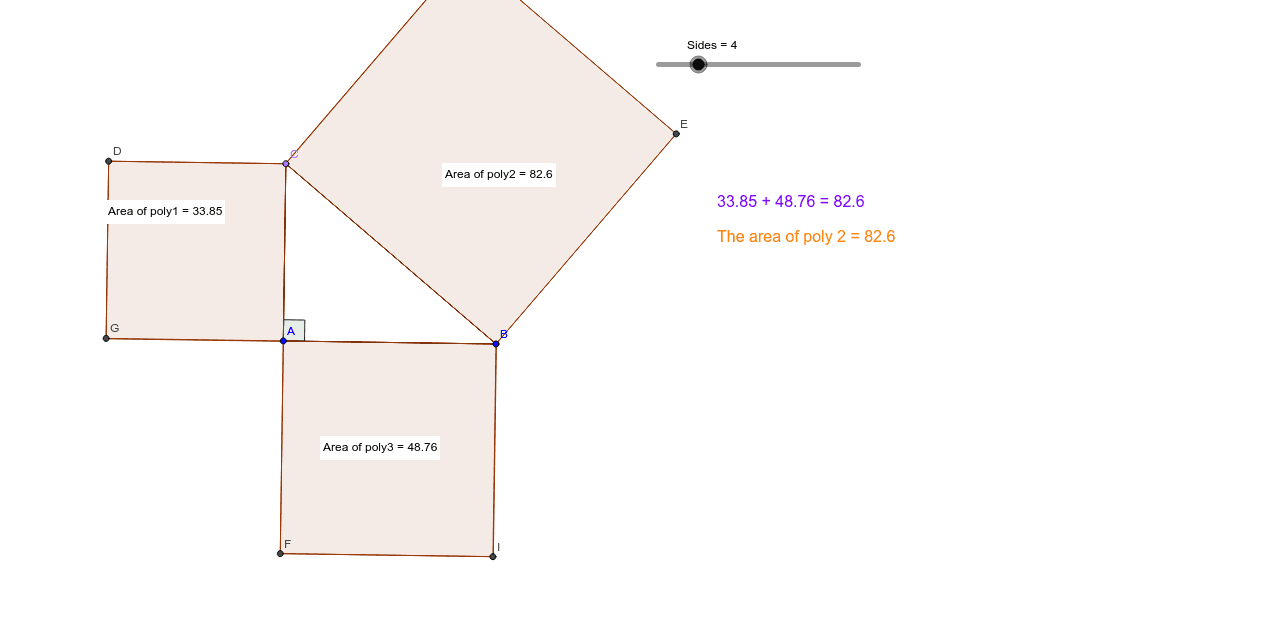
This example uses sliders to adjust the number of sides of a regular polygon and demonstrates Pythagoras' theorem with a right triangle. It covers key concepts such as regular polygons, right triangles, and angles. Using GeoGebra commands like Segment, Polygon, and Angle, it dynamically illustrates the properties of regular polygons and the application of Pythagoras' theorem. Suitable for middle school and above students learning geometry and trigonometry.
GeoGebra Commands & Parameters
Segment(A, B) → aOrthogonalLine(A, a) → bPoint(b) → CSegment(C, A) → cSegment(C, B) → dPolygon(A, C, Sides) → poly1, e, m_1, D, G, J, M, P, S, V, A_1, f, g, n, r, a_1, d_1, g_1, j_1Polygon(C, B, Sides) → poly2, h, n_1, E, H, K, N, Q, T, W, B_1, i, j, p, s, b_1, e_1, h_1, k_1Polygon(B, A, Sides) → poly3, k, p_1, F, I, L, O, R, U, Z, C_1, l, m, q, t, c_1, f_1, i_1, l_1Angle(B, A, C) → αPointIn(poly1) → Pointpoly1PointIn(poly3) → Pointpoly3PointIn(poly2) → Pointpoly2
AI Drawing Prompt Reference
Draw a regular polygon and adjust the number of sides to demonstrate its properties. Construct a right triangle using the vertices and sides of the polygon and apply Pythagoras' theorem to verify the relationship between the sides. Drag the slider to change the number of sides and observe the changes in angles and side lengths.
The prompt above was compiled from the original drawing commands and is for reference only.