
Reflection Grid 4: Interactive Geometric Transformation
Loading the math board and drawing, please wait…
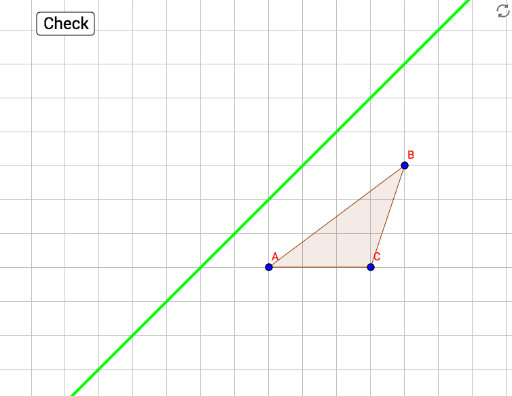
This example demonstrates an interactive geometric grid centered on reflection (mirror) transformations. Users can observe how a triangle and its mirrored image relate across a line of symmetry, with step-by-step validation through buttons. Core mathematical concepts include axial symmetry, properties of isometric transformations, and relationships among polygons, lines, and points. Construction details: the Polygon command creates the original triangle poly1, Line defines the reflection axis, Mirror generates the reflected triangle poly1', and button1 along with boolean variables (correct, nailedIt, tryAgain) provide interactive feedback. Suitable for middle and high school students and teachers exploring geometric transformations, symmetry, and dynamic mathematics, as well as for interactive lab exercises.
GeoGebra Commands & Parameters
Polygon(A, B, C) → poly1, c, a, bPolygon(A', B', C') → poly3, f, d, eLine(D, E) → gMirror(A, g) → target1Mirror(B, g) → target2Mirror(C, g) → target3Polygon(target1, target2, target3) → poly1', c'_1, a'_1, b'_1