
Reflection Grid 1
Loading the math board and drawing, please wait…
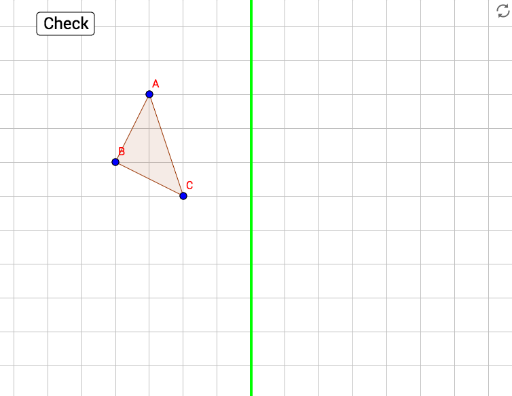
This example demonstrates the construction of a reflection grid. Key mathematical concepts include reflection, angles, and transformations. Using GeoGebra commands such as Polygon, Line, and Mirror, the reflection of shapes can be constructed. Suitable for middle school and above students to learn geometric transformations.
GeoGebra Commands & Parameters
Polygon(A, B, C) → poly1, c, a, bPolygon(A', B', C') → poly3, f, d, eLine(D, E) → gMirror(A, g) → target1Mirror(B, g) → target2Mirror(C, g) → target3Polygon(target1, target2, target3) → poly1', c'_1, a'_1, b'_1
AI Drawing Prompt Reference
Draw a reflection grid example: first construct a triangle, then draw a straight line as the axis of symmetry. Reflect each of the triangle's three vertices across this line to obtain three mirrored points, and connect these points to form a second triangle. Finally, distinguish the original and mirrored triangles with dashed lines or different colors, and label the axis to show that angles and shapes remain unchanged under reflection.
The prompt above was compiled from the original drawing commands and is for reference only.