
Reflection about line y=x: Exploration
Loading the math board and drawing, please wait…
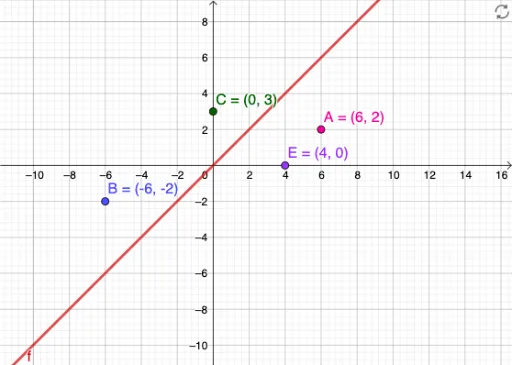
This example demonstrates how to understand the symmetry of the line y=x through reflection operations. The core math concepts involved include geometric transformations, coordinate geometry, and geometric construction. Key construction elements using GeoGebra commands are objects f (function), A, B, C, and E, which are used to showcase and manipulate the reflection process. Suitable for middle school and above students to learn and explore reflection concepts in analytical geometry.
GeoGebra Commands & Parameters
y = xPoint A(6, 2)Point B(-6, -2)(0, 3)(4, 0)
AI Drawing Prompt Reference
Draw the line y=x, then plot the points (6,2) and (-6,-2), and mark the points (0,3) and (4,0), showing their reflections across the line y=x, and use these points to sketch a function, exploring the symmetry of the line y=x and related concepts in geometric transformations, coordinate geometry, and geometric construction.
The prompt above was compiled from the original drawing commands and is for reference only.