
Rectangular Pyramid Net by Jason Wofsey
Loading the math board and drawing, please wait…
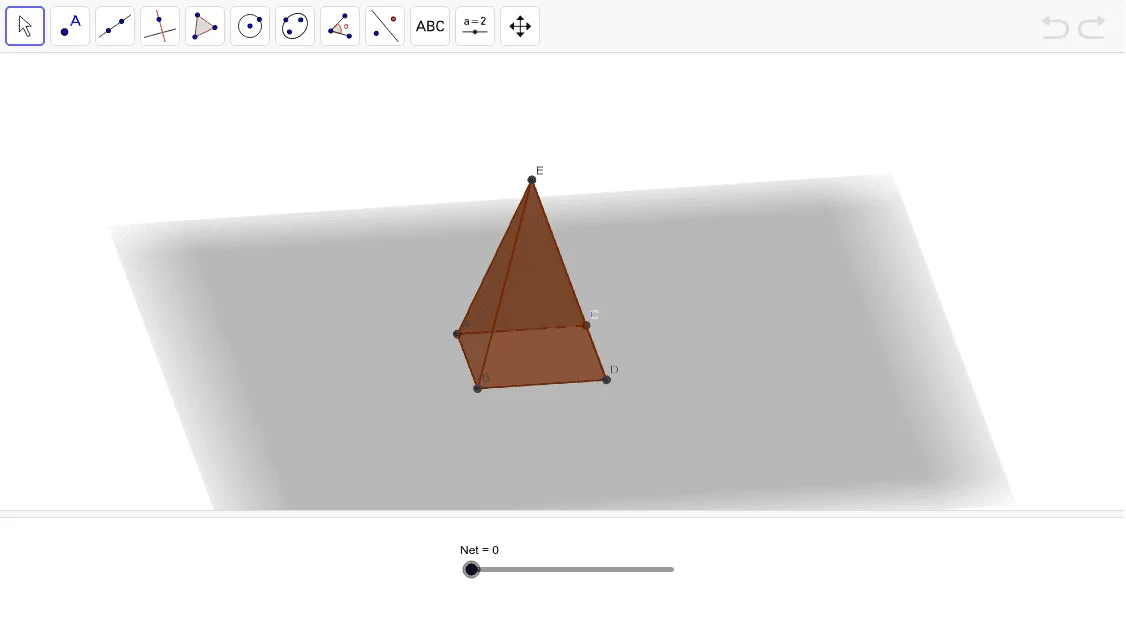
This example demonstrates the construction of a 3D rectangular pyramid model from its net. Core math concepts include polygons, solid geometry, coordinate geometry, and trigonometry. Construction highlights involve commands like Segment, OrthogonalLine, Point, Line, Intersect, Polygon, Pyramid, and Net in GeoGebra. Suitable for high school students learning solid geometry and spatial visualization skills.
GeoGebra Commands & Parameters
Segment(A, B) → aOrthogonalLine(A, a) → bPoint(b) → CLine(B, b) → cOrthogonalLine(C, b) → dIntersect(c, d) → DPolygon(B, D, C, A) → poly1, b_1, d_1, c_1, a_1Pyramid(poly1, 3) → e, E, faceBDE, faceCDE, faceACE, faceABE, edgeBE, edgeDE, edgeCE, edgeAENet(e, Net) → g, F, faceFGJ, faceGHK, faceHIL, faceFIM, edgeFG, edgeGH, edgeHI, edgeFI, edgeFJ, edgeGJ, G, edgeGK, edgeHK, edgeHL, edgeIL, edgeIM, edgeFM, H, I, J, K, L, M, faceFGHI
AI Drawing Prompt Reference
Draw a net of a rectangular pyramid. Start with a horizontal segment as one side of the base. Construct a perpendicular line at one endpoint, place a point on it to define the second vertex, then draw a line through that point parallel to the first perpendicular, intersecting another perpendicular from the other endpoint to complete the rectangular base. Build a pyramid with this base and height 3, with the apex directly above the center. Finally, unfold the four triangular faces onto the plane of the base, resulting in a flat net with the central rectangle and four surrounding triangles.
The prompt above was compiled from the original drawing commands and is for reference only.