
Rectangular Prism Construction and Net Visualization
Loading the math board and drawing, please wait…
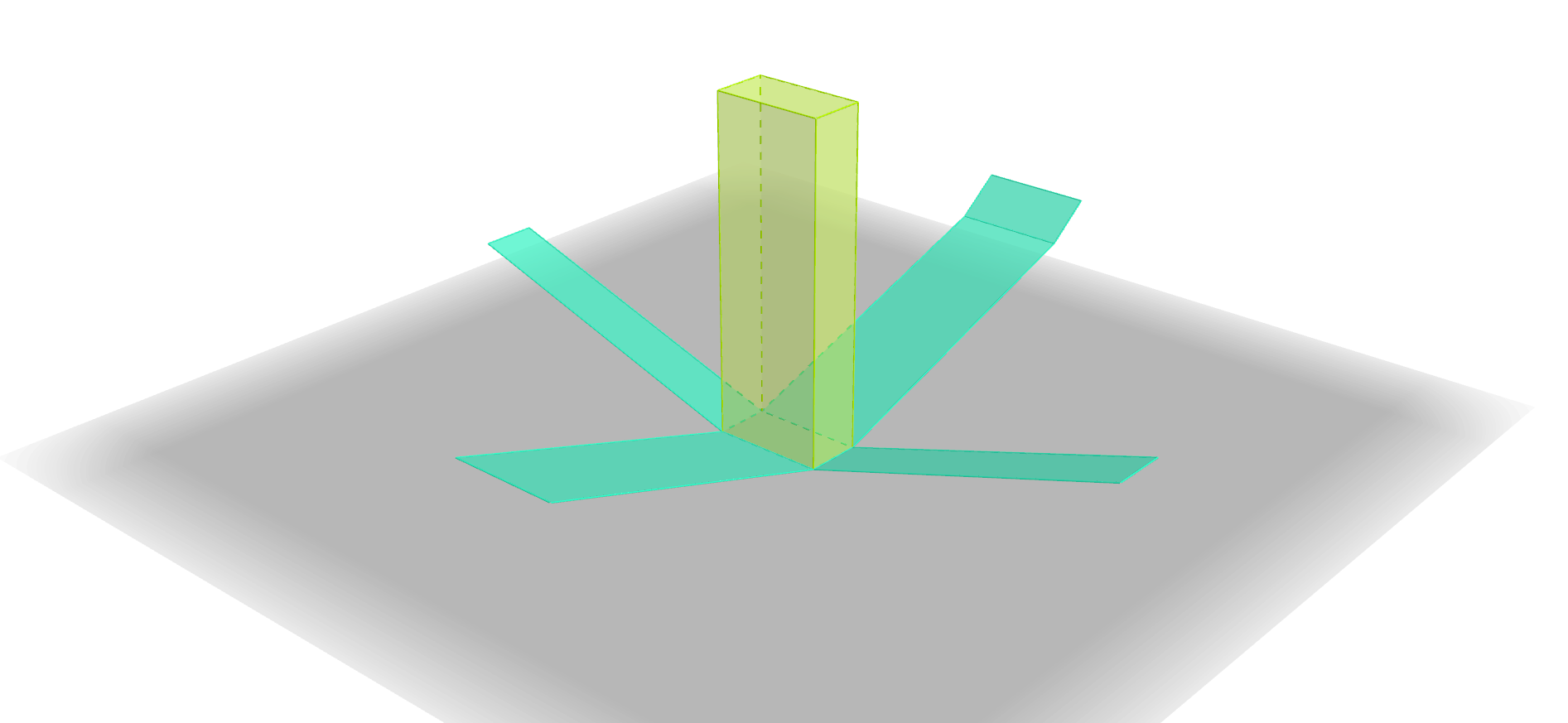
① This example shows how to construct a three‑dimensional rectangular prism and its corresponding net in GeoGebra. ② The core mathematical concepts involve solid geometry (properties of rectangular prisms), vertex‑face relationships, transformation between planar and spatial figures, and related linear equations and logical reasoning. ③ The construction highlights the use of GeoGebra commands such as Point, Polygon, Prism, and Net, defining vertices A, B, C, D and generating side edges and face polygons before unfolding them into a visual net. ④ It is intended for high‑school geometry classes or modeling courses, aiding students in understanding the structure and spatial relationships of polyhedral shapes.
GeoGebra Commands & Parameters
Point(xAxis) → CPolygon(A, B, C, D) → poly1, a, b, c, dPrism(poly1, 12) → e, E, edgeAE, edgeBF, edgeCG, edgeDH, edgeEF, edgeFG, edgeGH, edgeEH, F, G, H, faceABFE, faceBCGF, faceCDHG, faceADHE, faceEFGHNet(e, f) → g, I, R, S, T, U, V, faceIJKL, faceIJNM, faceJKPO, faceKLRQ, faceILST, J, faceMNUV, edgeIJ, edgeJK, edgeKL, edgeIL, edgeIM, edgeMN, edgeJN, edgeJO, edgeOP, K, edgeKP, edgeKQ, edgeQR, edgeLR, edgeLS, edgeST, edgeIT, edgeNU, edgeUV, edgeMV, L, M, N, O, P, Q
AI Drawing Prompt Reference
Draw a 3D rectangular prism and its net, start by creating a rectangular base, then use the prism command to generate the three-dimensional structure including the top and side faces, unfold the side faces into a flat layout to show the spatial relationships between the faces and vertices, and finally present a complete prism with its net for observing its structure and geometric properties.
The prompt above was compiled from the original drawing commands and is for reference only.