
Rectangular Prism by Jason Wofsey (2)
Loading the math board and drawing, please wait…
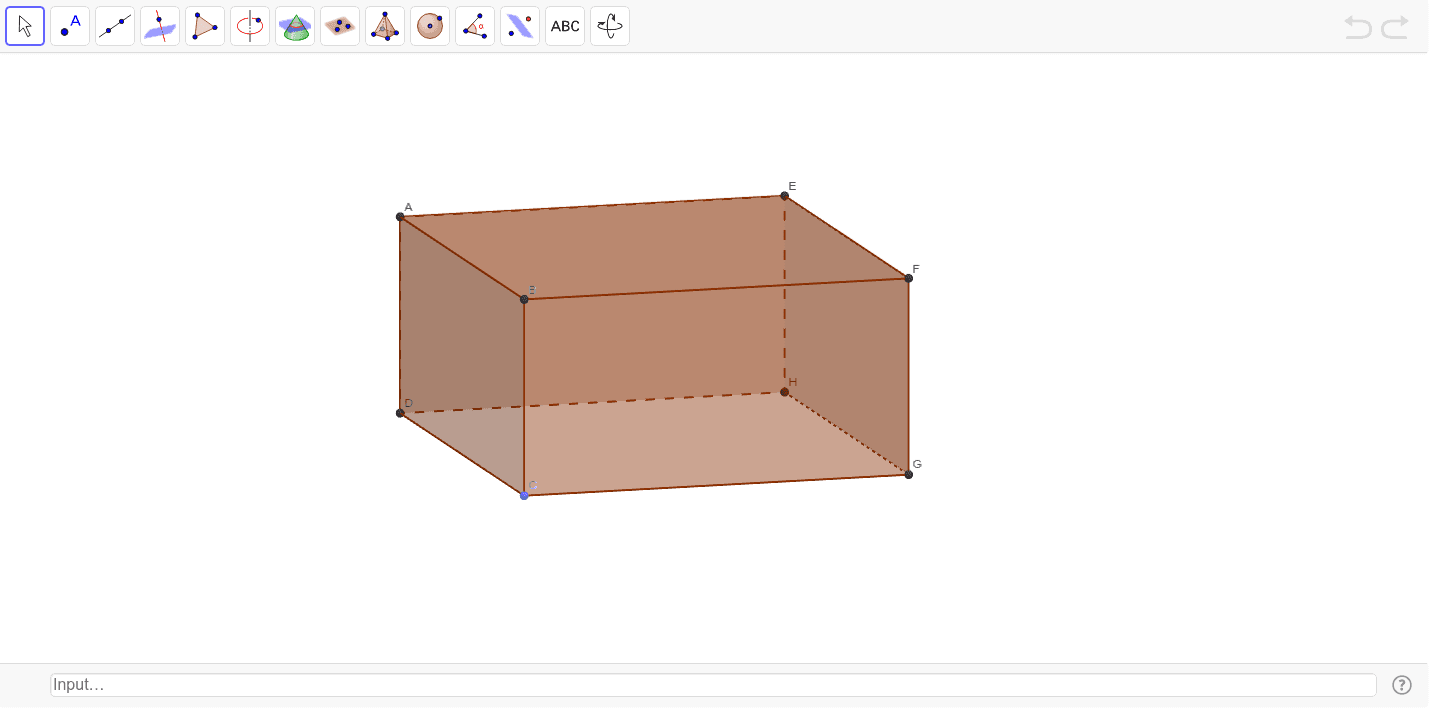
This example demonstrates the construction of a rectangular prism. Key mathematical concepts include the surface area and volume calculations of a rectangular prism. Using GeoGebra commands such as Intersect, Point, Segment, etc., the example dynamically shows the faces and edges of the prism. Suitable for students at the middle school level and above for learning solid geometry.
GeoGebra Commands & Parameters
Intersect(xAxis, yAxis) → DPoint(Circle[D, abs(a)]) → CSegment(D, C) → bCircle(C, c) → dOrthogonalLine(C, y = 0) → eIntersect(d, e, 2) → GOrthogonalLine(G, e) → fIntersect(f, yAxis) → HPolygon(D, C, G, H) → poly1, a_1, b_1, c_1, d_1Prism(poly1, g) → h, A, edgeAE, edgeBF, edgeCG, edgeDH, edgeEF, edgeFG, edgeGH, edgeEH, B, F, E, faceABFE, faceBCGF, faceCDHG, faceADHE, faceEFGHTextfield() → inputBox1Volume(h) → wDistance(D, C) → distanceABDistance(C, G) → distanceBCDistance(G, F) → distanceCG
AI Drawing Prompt Reference
Draw a rectangular prism, showing its surface area and volume calculations. Start by plotting the intersection of the coordinate axes, then draw a circle centered at the intersection to find one vertex of the prism. Connect this vertex to a point on the circle to form one edge, and draw another circle centered at this point to find the second vertex. Draw perpendicular lines to find the other vertices, connect them to form the faces of the prism. Finally, calculate and display the volume and edge lengths of the prism.
The prompt above was compiled from the original drawing commands and is for reference only.